Redmine 7.0 is officially available, marking 20 years since the project's first release. That's a milestone worth pausing on — but the more practical question for anyone running Redmine is simpler: what actually changes for you? .
The answer depends on who you are. If you're a regular user working in Redmine every day, this release is mostly about a cleaner, faster interface. If you're the CTO or the person responsible for the infrastructure behind it, this is a real architectural shift — new runtime, new event model, new governance defaults.
We've split this update into two parts so you can jump to what matters to you.
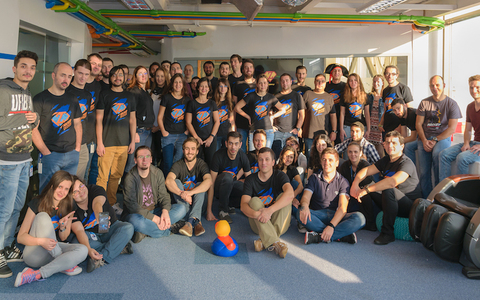
Before we dive in, a quick thank you: a project like Redmine exists and flourishes only because of its community. We're deeply grateful to the developers and contributors whose commitment has shaped Redmine into the industry standard it is today. What a team — let's keep this energy rolling!
Part 1: What's new for everyday users?
These are the changes your day-to-day users will actually notice — and mostly appreciate — without needing to know anything about what's running under the hood.
A cleaner header and navigation
The top bar has been redesigned to be lighter and less cluttered (#43937). The bigger change is what happened to the user menu: links that used to be scattered across the top of the screen — profile, account settings, logout — are now collected into a single dropdown under your avatar (#31353).

It's a small thing, but it's one less place to hunt for "where did that link go" — everything tied to you now lives in one predictable spot.

RTL support that actually feels native
Right-to-left layouts now use logic-based CSS properties (#43700), which means RTL languages finally look and behave consistently instead of like an afterthought bolted onto a left-to-right design.
Inline previews — see it without leaving the page
This is one of the more genuinely useful additions:
- PDF and repository files now preview inline instead of forcing a download (#22483)

- Microsoft Office and LibreOffice Writer files can also be previewed directly (#8959)

In practice, this means fewer round trips of "download, open, check, come back" — you stay in the flow of the conversation or the task.
Text formatting and preview
A few quality-of-life fixes for anyone writing wiki pages or issue descriptions every day:
- Spreadsheet data can now be pasted directly into wiki textareas as CommonMark/Textile tables (#43950) — no more manually rebuilding a table by hand

- Tab and Shift+Tab now work for indenting lists in the CommonMark editor (#44061)
Small changes, but the kind you'll notice the first time you don't have to fight the editor.
A more consistent look overall
The integration of Open Color (#43256) removes a lot of the small visual inconsistencies across the interface — fewer clashing shades, more predictable design.

Everyday productivity fixes
- Smarter Assignees: "Users by group" views (#44015) make task allocation in large organizations significantly faster.
- Automatic Watchers: Assignees are now automatically added as watchers (#2716), ensuring a tighter feedback loop.
- Relative Due Dates: Setting default due dates with offsets (#31518) eliminates repetitive manual entry.
- Audit-Ready Exports: Bulk ZIP exports for Wiki pages (#43978) and CSV exports for project memberships (#37480) simplify compliance auditing.

None of this requires any technical knowledge to benefit from — it's just a smoother version of the tool your team already uses.

Part 2: For the CTO: what's under the hood?
This is where Redmine 7.0 stops being a UI refresh and starts being an infrastructure decision.
The game changer: native webhooks
The most strategic update in this release is the introduction of native webhooks (#29664). For years, Redmine has functioned as a static database—a place where data sits until someone asks for it.
With webhooks, Redmine becomes an active event source.
- Automated RAG Pipelines: Your AI's knowledge base updates the second a wiki page is edited, not on the next scheduled crawl.
- Instant Incident Response: Trigger a Slack alert or a PagerDuty incident the moment a "Critical" issue is logged.
- Zero-Polling Infrastructure: Reduce API load and latency by moving to an event-driven architecture.
If your roadmap includes AI agents or complex automation, this feature alone makes the upgrade a priority.
Managing the technical debt: Rails 8 and Ruby 4.0
The move to Redmine 7.0 requires a look at your server environment. This release is designed to clear out legacy baggage and set a stable foundation for the next decade.
- Rails 8 Migration: The move to Rails 8 (#43205) improves memory management and closes critical security gaps.
- Ruby 4.0 Support: Support for Ruby 4.0.4+ (#43650) ensures you are running on the most efficient runtime available.
- Dependency Purge: The removal of Raphael.js (#43845) and the shift to Loofah for HTML filtering (#42737) removes deprecated libraries that often complicate custom plugin development.
One thing to flag if you were waiting on it: gemified plugin support (managing plugins as standard Ruby gems via Gemfile/Bundler) is not in 7.0. It's tracked as Feature #27705 and is confirmed for the 7.1.0 milestone, not this release. If that's the feature you actually need, it may be worth waiting for 7.1 rather than migrating now for that specific benefit.
For teams without a dedicated DevOps resource, the "maintenance tax" of these upgrades can be high. Our Professional Hosting Upgrade handles the Rails and Ruby migration for you, ensuring zero downtime.
Security and governance
Governance is baked into the core of this release.
- Sudo Mode: Now enabled by default (#44052), adding an essential layer of protection for administrative actions.
- API Key Tracking: The new "last usage" timestamp (#43938) allows security officers to identify and revoke stale access keys instantly.
Redmine 7: upgrade or wait?
If you are running a legacy instance on an old Ruby version, the move to Redmine 7.0 is a necessary step to avoid security risks and performance bottlenecks. If you are already on 6.1, the move is less urgent but highly recommended if you plan to integrate with AI tools or automation platforms.
If gemified plugins are the specific feature you're after, that's the one reason to hold at 6.1 a little longer and wait for 7.1.
As we detailed in our Redmine 7 Future, the shift to an event-driven architecture is the only way to keep your project data useful in an agentic world.
Do you lack in-house expertise for upgrade Redmine 7.0?
The most important consideration when updating Redmine is data integrity. It is therefore essential that a data migration plan, including a database backup, is completed by your organisation's CTO. Troubleshooting is an effective method of preparing for plugin conflicts.
Migrate to secure hosting
Don't waste your time on Redmine maintenance. Hire experts and focus on your projects
We offer Redmine maintenance services. Redmine migration is usually completed within one business day, and performed in suitable time for your team, independent of your timezone. Our expert support ensures optimal setup for your self-hosted RedmineUP Enterprise on-premises edition. Skilled engineers consult on system requirements and guide you through the installation within your infrastructure.
To book the Redmine 7 upgrade plan drop us a message. A team of experts will check your Redmine environment and recommend the best course of action.