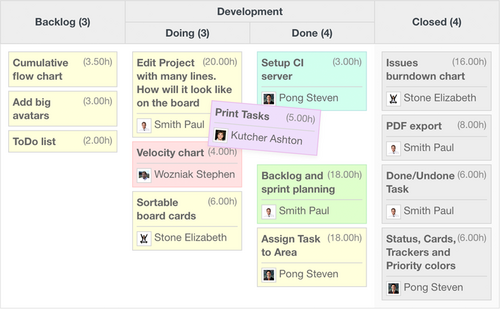

Customizable Agile charts
Quickly visualize and monitor a project’s status with 11 Agile diagrams—Burn-down, Cumulative Flow, Velocity, Lead Time chart and more

SCRUM & Kanban ready
Build with Agile teams in mind and for using any methodology, e.g. Scrum and Kanban as well as the mixed ones, such as Scrumban or Kanplan

Open Source
Open Source software has long-term viability and is always on the cutting-edge of technology. It also has flexibility and freedom to change anything

Fully customizable
Easily adjust your Agile boards for particular projects, departments, or people. Customize the views and filters with rules and colors
We worked with this Agile plugin for 2 years, it's incredibly simple with many features. What we love first - outside simplicity I already mentioned - is that you can use whatever framework / method / process / practice you have. I would recommend giving it a try.
Alain SALMETOZ, Software Firmware R&D Efficiency leader in Schneider Electric
Features
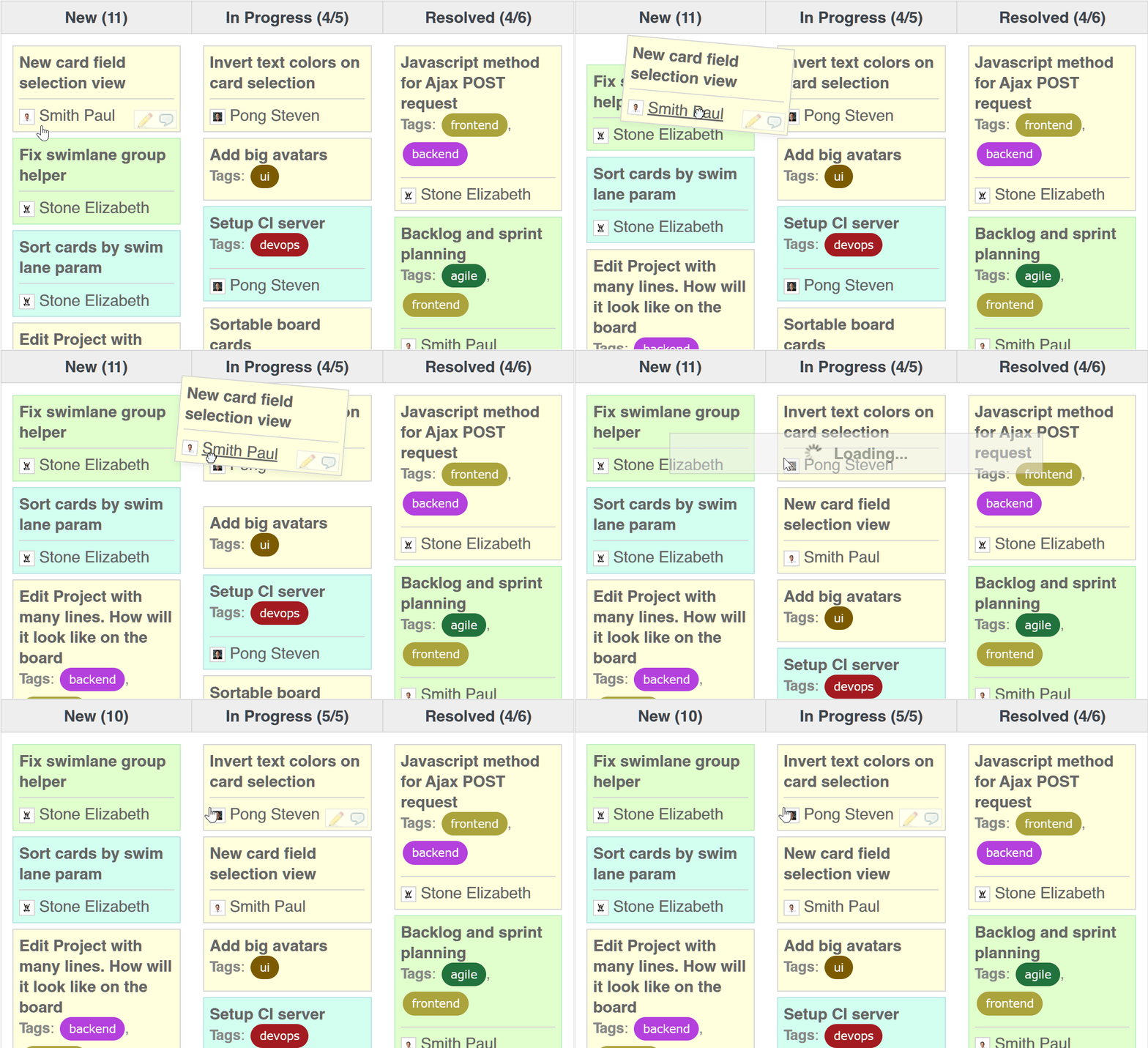
Agile Ajax board
Your Agile whiteboard in Redmine. Track issues, prioritize them, and appoint assignees smarter and faster. Move pieces of work with drag & drop. Comment, interact with checklists, and add issues straight from the board. It can be configured for SCRUM, Kanban, or the mixed methodology. It’s workflow aware and will not allow unpermitted status transitions
Agile charts
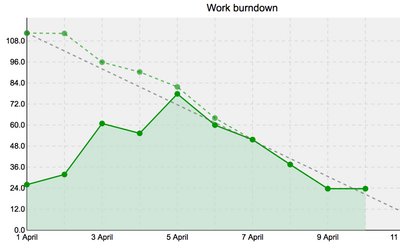
Quickly visualize and monitor the current status and progress of your projects. Use it to respond to any unforeseen circumstances in your development process. For example, you can estimate the likelihood of achieving a Sprint goal with Burn-down and Burn-up charts by tracking the amount of work remaining in a given sprint. Use charts to see the current and ideal distribution of work
Sub-columns and swimlanes
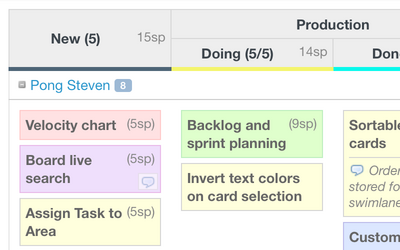
With our Agile plugin, you can duplicate any phase of your projects or processes using columns and subcolumns. You can also use swimlanes to arrange and separate issues by parent tasks or assignees
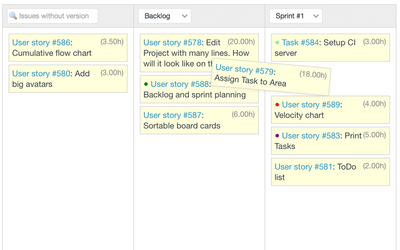
Sprint planner
Sprint planner allows you to see which issues belong to a particular sprint and reassign them effortlessly among sprints and backlogs with our split view. A Sprint is a set of features and fixes that you will release as a single update to your software product
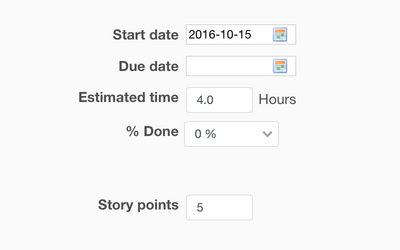
Story Points
Now you can assign and measure the effort required to implement each story by adding Story Points. You can see the summary of assigned SP for each issue and every phase of the project (column on the board)
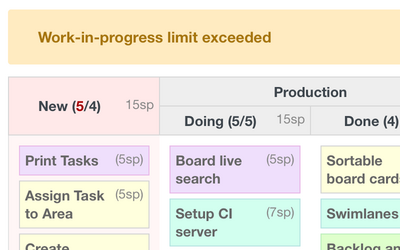
Work in Progress limits
You can set the maximum number of tasks allowed in each phase, represented by a column of a board. Using WIP Kanban metric, you can control the number of tasks, keep work balanced, and ensure the high productivity of your team
Requirements
| Redmine | 7.0 - 5.0 |
|---|---|
| Ruby | 4.0 - 3.1 |
| Database | SQLite, MySQL, PostgreSQL, SQL Server |
| OS | Linux, OS X, Windows |
| Browsers | Chrome, Safari, Internet Explorer and Firefox |
Over 150 000 companies from 120 countries use RedmineUP plugins, themes and services








Pricing
Additional features of PRO Version
Saving boards with custom columns and settings
Scrum boards with sprint planning
Boards by user, role, and project
Backlog planner
Horizontal swimlanes
Work-in-progress limits
Board subcolumns
Additional charts: Burnup, Cumulative flow, Velocity, Lead time
Additional card fields
Card colors by issue, priority, project, spent time
On board issue creation
On board comments and notes
Charts saving
Bundles and offers
RedmineUP Full stack bundle
Get all plugins bundle with 48% discount
Order Full stack bundle | $179914 plugins bought separately: $3 436.00 – You save $1 637.00
What users say about Agile plugin

Came out of freaking nowhere and is already the most professional-looking and crisp of the board plugin
— Joshua DeClercq
rating from redmine.org
Great plugin - provides a good alternative to the traditional table view of issues with the 'Agile' feel...
— Adam Szakacs
rating from redmine.org
Works perfectly. Functionality is awesome! We couldn't imagine redmine without this plugin anymore in our company
— Christoph Romer
rating from redmine.org
We like at our agency cubetech the work burndown chart a lot. So you can see at any time if the project is on track. Helpful! Thanks, RedmineUP!
— Christoph S. Ackermann
rating from redmine.org
We've been using this plugin since 2015. It's features like agile board, charts and user stories etc are very useful while implementing agile (scrum) based development
— Sadaf Rasheed
rating from redmine.org