What's new in Redmine Agile plugin
Sprint history charts, collapsible board columns and AI answers about your sprints
New features
Sprint history on charts
Pick one sprint and the charts replay its history day by day: which issues were added to the sprint or removed from it, and when story points were re-estimated. The scope line moves with every change, so you can tell a real delay from a growing sprint. Hover a day to see what changed. History is recorded from the moment you update.
Learn more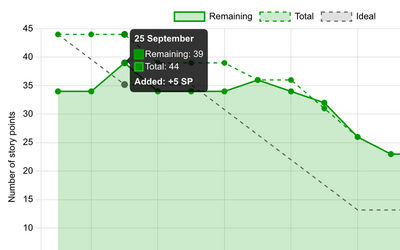
Collapsible board columns
Fold any board column into a narrow strip and give the working columns more room. You can still drop cards onto a folded column, and the layout is remembered in your browser. Works on Scrum and Kanban boards.
Learn more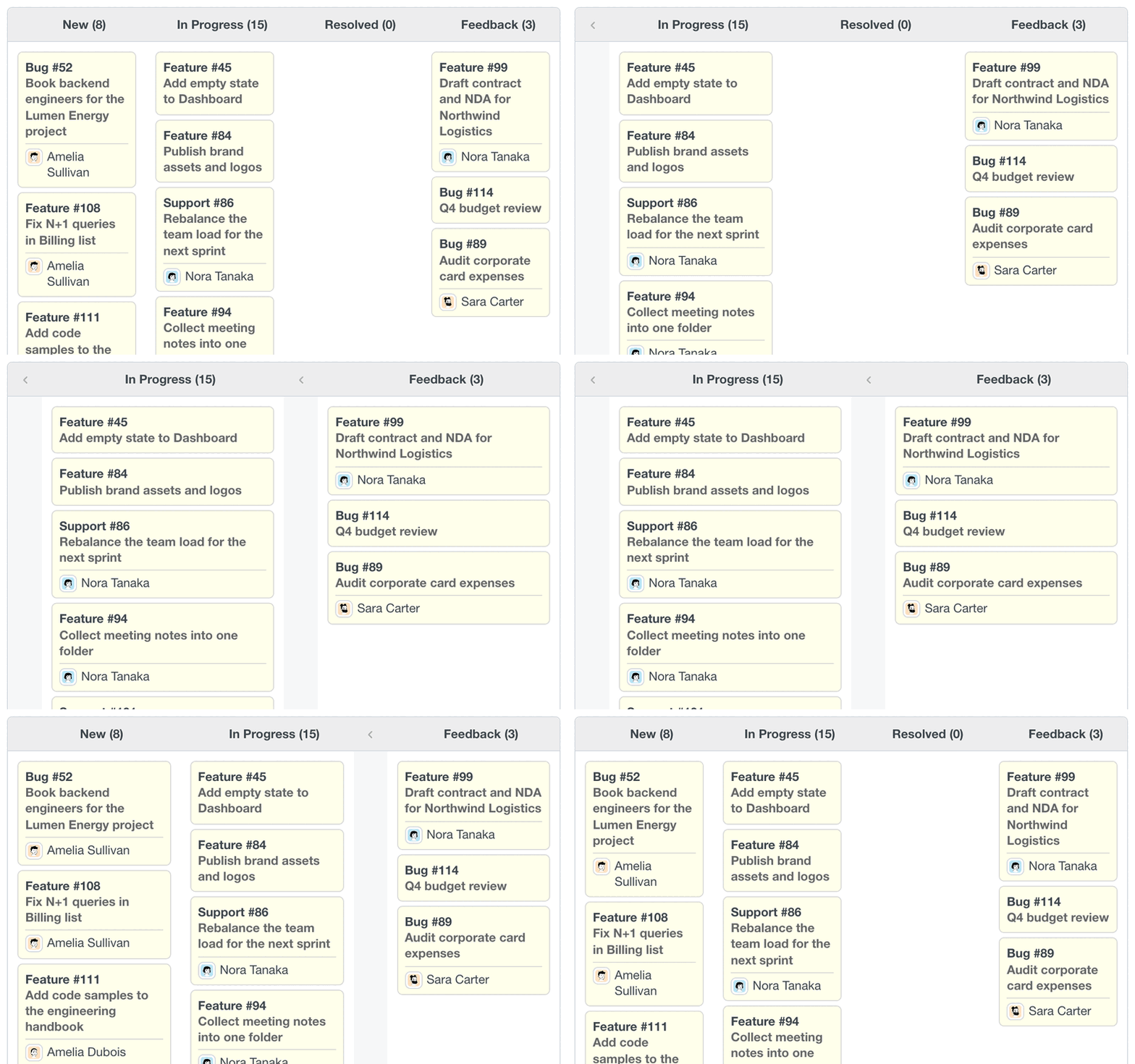
Ask AI about your sprints
Connect the Agile plugin to AI assistants through MCP with RedmineUP Agent. List sprints, read issue timelines and create sprints in plain language, and get metrics back as a table.
Learn more$ ask "What changed in Sprint 12's scope?" → Calling MCP tool list_agile_sprints… → Calling MCP tool get_issues_timeline… Scope grew from 34 to 44 story points: Day Change What Sep 25 +5 SP issue added Sep 29 +5 SP re-estimated 8→13 Sep 30 −2 SP issue removed Oct 1 +3 SP issue added Oct 2 −1 SP re-estimated 3→2
Agile sprints
Assign issues to sprints with their own start and end dates and track metrics per sprint instead of per version. Versions become the higher level: releases that group sprints. Manage sprints in a project settings tab or from the issue context menu.
Learn more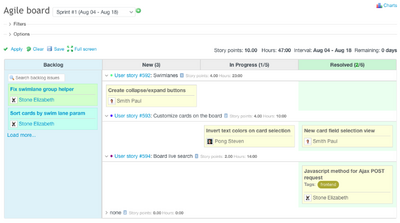
Backlog planning tab
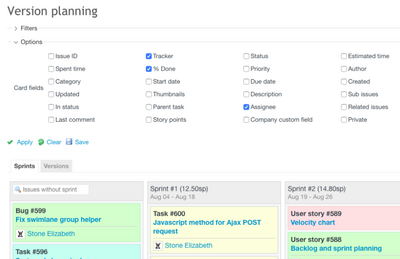
Plan work in the project Backlog tab: drag issues into sprints and versions, see assigned and unassigned tasks, show issue details on cards and save the filtered view as a custom query. Unassigned tasks can also appear in a Backlog column on the board.
Scrum and Kanban boards
Choose a Kanban or Scrum board. A Scrum board shows the tasks of one selected sprint. Both types support default chart and unit settings, totals, swimlanes and an optional Backlog column.
Learn more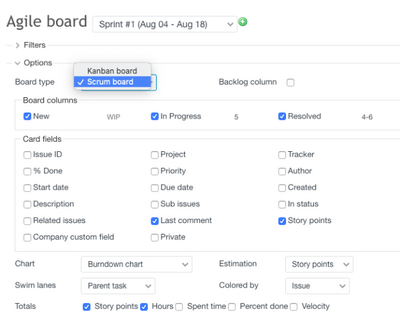
Cycle Time chart
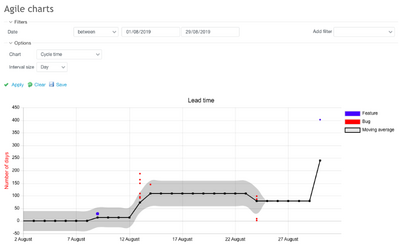
Show charts for any period, or for the selected sprint on a Scrum board. The Cycle Time chart shows the average and total time to finish issues of each type.
Story point scale
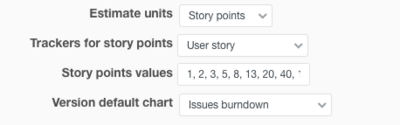
Limit story points to your own scale, such as the Fibonacci sequence, in the plugin settings.
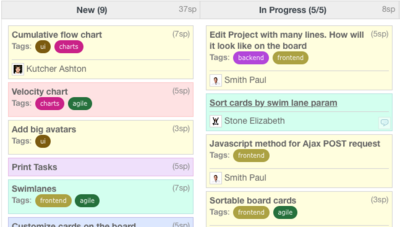
Issue tags on cards
Tags appear on the card, so you see at a glance who works on which product or topic.
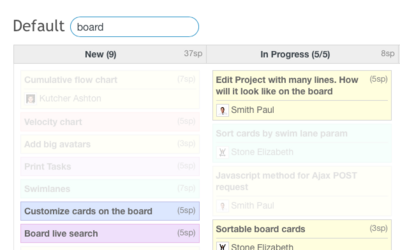
Quick board search
Type in the board search to highlight cards whose title matches.
Assignee and status history
Changes of assignee, status and % Done have their own history pages. Click the field label on the issue page to open them.
Learn more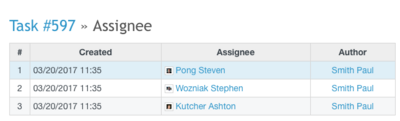
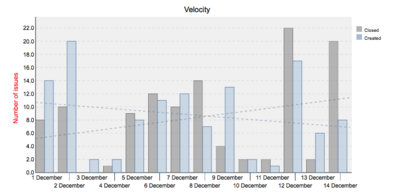
Trendlines on charts
Trendlines show whether the team makes enough progress to finish on time.
Story points estimation
Estimate issues in story points to measure complexity and team velocity in one metric, a good fit for Scrum teams.
Learn more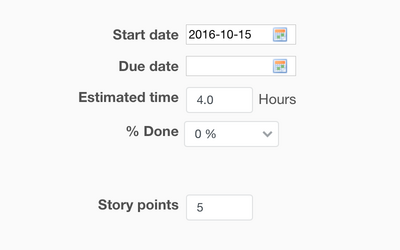
WIP limits for Kanban
Set a WIP limit per column. The column changes color when you reach or exceed the limit, which keeps work flowing.
Learn more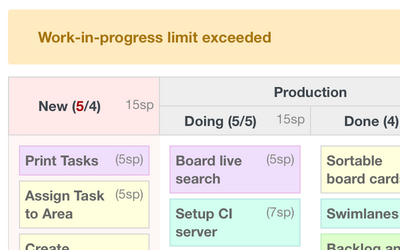
Add issues on the board
Create issues and add comments without leaving the Agile board. The last comment is visible on the card.
Learn more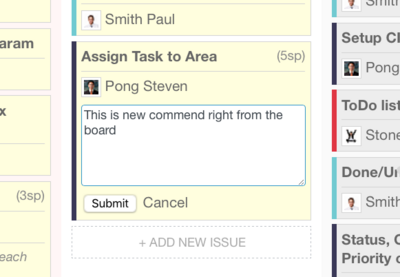
Checklists on the board
Redmine Checklists plugin items can be added, edited and marked done straight from the board.