
Enterprise teams often need layered approvals and portfolio reports. Project management software for small teams should make everyday work clear: who owns each task, what's due next, and what's blocked.
.
What small teams should look for
Imagine an eight-person team selling a subscription product. It starts with Gmail for support and a WhatsApp group chat for coordination. As sales and development pick up, customer history sits in CRM, feature requests get buried in chat, and nobody knows whether support ever replied. A request mentioned on a sales call may never make it onto the product board, even when an existing customer is waiting for it. Gmail and WhatsApp capture the conversation, but the team still needs a shared view of where the product is headed, what’s on track, and what has shipped. That’s when it starts looking for dedicated project management software to plan releases, track progress, and review results.
A customer emails asking for report exports. Support opens a ticket, checks the account history in CRM, and links the request to a task on the development board. Once the feature ships, support updates the knowledge base and replies to the customer. Sales can see the outcome before the next renewal conversation. The founder can see what’s in progress and who’s waiting for an answer.
That workflow suggests four criteria for choosing software.
- Easy-to-use basics. Look for tasks, owners, due dates, and a shared board or list.
- A free start. Choose a free plan for ongoing work or a trial long enough to test a real project.
- An all-in-one workspace. With a limited budget, one tool can cover day-to-day CRM, software development, and marketing work.
- Quick onboarding. See whether a teammate can find and update a task on their first day.
Project management software for small teams compared
| Tool | Best fit | What to check in a pilot |
|---|---|---|
| RedmineUP Cloud | Teams that want project management, helpdesk, and CRM in one workspace | Can the team turn a support request into project work and see the customer history in the same workspace? |
| Trello | Visual task boards and handoffs | Can the team spot blocked cards and upcoming due dates? |
| Asana | Cross-functional projects with owners and milestones | Can each person find their next task and see how it relates to the launch? |
| Jira | Software teams managing a backlog and sprints | Can the team triage a new bug and decide which sprint it belongs in? |
| ClickUp | Teams that want task boards and shared docs in one workspace | Can the team find the campaign brief, the next task, and its owner in one place? |
1. RedmineUP Cloud for project management, helpdesk, and CRM

RedmineUP Cloud is a managed project management platform built on the open-source Redmine. It combines project management, helpdesk, and CRM in one workspace. Teams can track tasks on Scrum and Kanban boards, plan deadlines with Gantt charts, log time, handle support tickets, and keep customer contacts and history together. RedmineUP handles hosting, updates, and backups.
Suppose a client reports an issue just before launch. The customer’s email becomes a Helpdesk ticket. A teammate checks the customer’s past conversations in CRM and tracks the fix on the project board. That keeps customer support and project delivery in the same workspace. The project lead can then check any schedule dependencies and review the time logged on the fix. Try this workflow with one real request during your pilot.
Check the plan limits for users, active projects, and storage against your team's needs. See RedmineUP Cloud features and plans for the current options.
2. Trello for visual task handoffs

Trello organizes work into boards, lists, and cards. Try it for a content calendar, an event checklist, or a weekly operations queue where each item moves through a familiar set of stages. For a first board, use To Do, In Progress, Review, and Done. Give each card an owner and a due date.
If you need to plan around dependencies or report hours, check how you would get that information and which views or add-ons your plan would require. Explore Trello
3. Asana for cross-functional projects
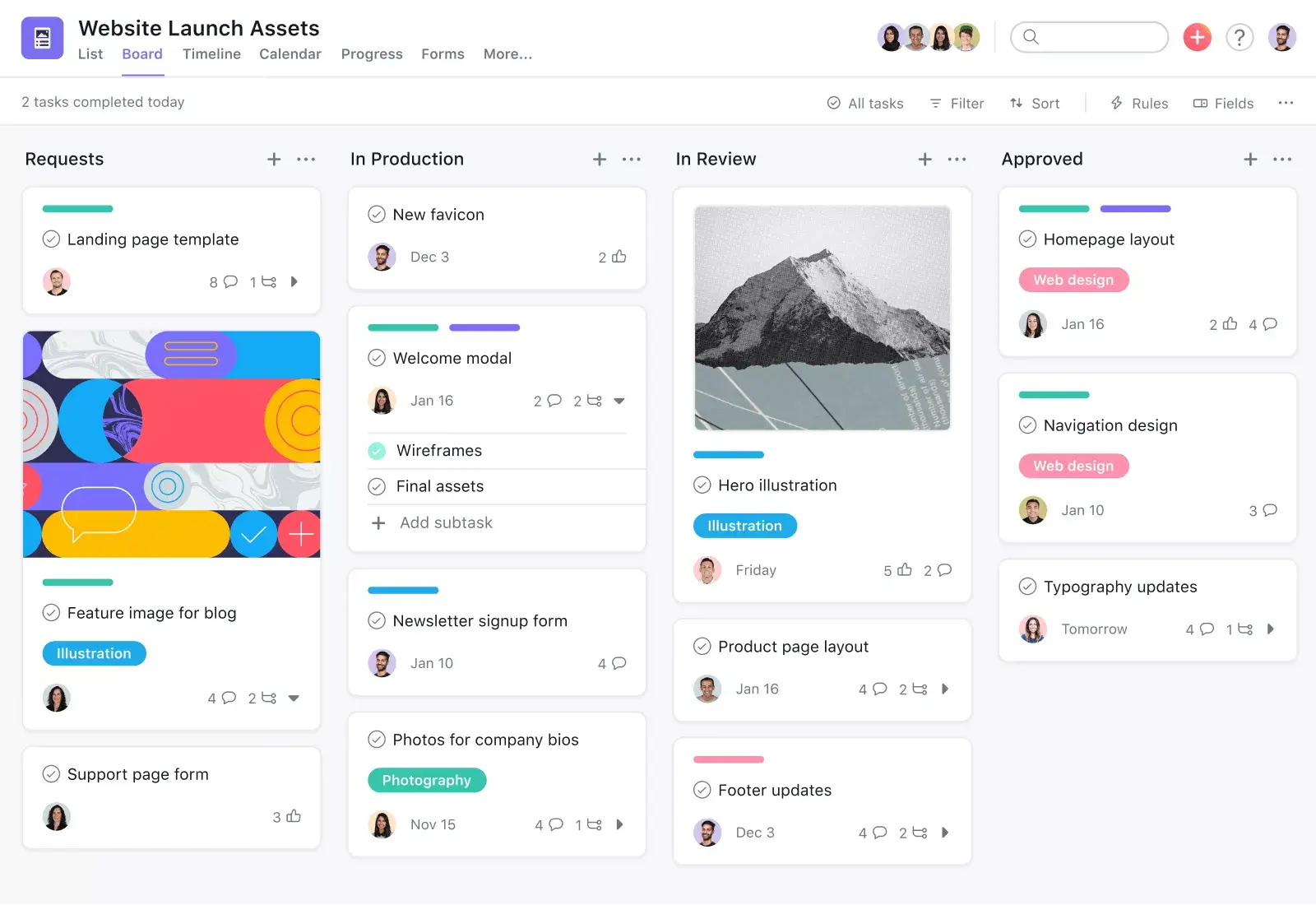
Asana is a fit when several functions contribute to the same outcome. For a product launch, set a launch milestone, assign the copy and design tasks, and make clear who approves each deliverable. Use a project view for the launch lead and check what teammates see when they look for their own work.
If the launch depends on a sequence of approvals, check the plan that includes the timeline and dependency features you want. Explore Asana
4. Jira for software teams with a backlog

Jira is a fit when a software team takes in bugs and feature requests, prioritizes them, and plans work in sprints or on a Kanban board. In a pilot, add a real bug and a feature request. Ask the team to triage them, agree on priority, and move one item from the backlog into active work.
If people outside engineering will use the project, invite one of them into the pilot. See whether they can open a request and follow its progress without a walkthrough. Explore Jira
5. ClickUp for task boards and shared docs
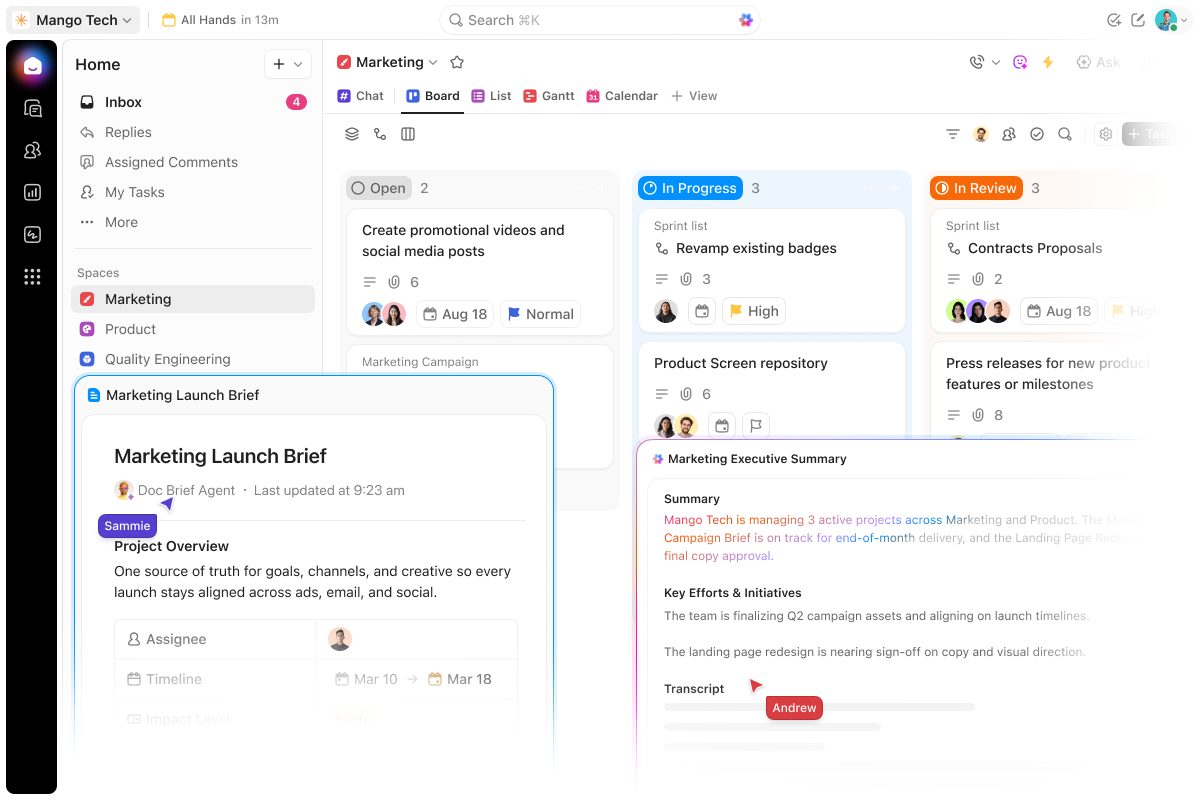
ClickUp brings task boards and shared docs into one workspace. For a campaign, put the brief in a Doc, assign the copy and design tasks, and use the board to see which assets are ready for review. The Kanban board is available on the Free Forever plan.
Start with a few statuses and a single board. Ask a teammate to find the brief, identify the next task, and move it into review. Check which plan covers the features you want to add later. Explore ClickUp's Kanban board
How to choose project management software for your team
- Start with the handoff that breaks most often. If work gets stuck in review, see whether the next reviewer can find the assigned task and know what they need to do.
- Test how the tool handles a delay. Move one deadline and see how the change affects the tasks that depend on it.
- Compare the cost for your actual team. Count reviewers and clients who need access. Check which plan includes your required views, permissions, or time reports.
How AI fits into project management
All five tools in this comparison offer AI capabilities, with availability depending on the plan and setup. Trello can summarize card notes and extract action items. Asana can draft a project status update, and Jira can summarize work items and surface blockers. ClickUp Brain can help identify which tasks are stuck on a board. The RedmineUP Agent can summarize issues and related discussions. Its MCP server also lets a compatible AI assistant connect to Redmine and work with tasks within the signed-in user's permissions, once the server is enabled.
For a small team, try one repeatable use case first. Draft a weekly update from task activity, then have the project lead check the owners, dates, and blockers before sharing it. BCG's research on how AI changes the way teams work describes how teams are handing routine status work to AI while people review the output and make decisions.
Run a one-project pilot
- Pick a live project with a deadline in the next week or two.
- Add five real tasks with owners, due dates, and one dependency.
- Ask two teammates to update their tasks and try the workflow you care about, such as moving a task into review or logging time.
- At the end of the week, ask the project lead to show what's blocked, what's due next, and what the team accomplished. If you report hours, ask for the report you'd actually send.
Use the same exercise for each shortlisted tool. You'll see which one gives your team the information it needs during a normal workweek.
Monthly subscription cost calculator
To simplify your subscription estimate, use the calculator below. Enter the number of people who need access, and the table will show the estimated monthly total for your whole team on each listed plan. It accounts for seat bundles and fixed-price tiers where applicable.
Estimated monthly total for 8 users
| Platform | Paid plan | USD / month |
|---|---|---|
| RedmineUP Cloud | Small (up to 25 users) | $83.00 |
| Trello | Standard | $48.00 |
| Asana | Starter (10 seats) | $134.90 |
| Jira | Standard | $72.40 |
| ClickUp | Core | $96.00 |
Estimates for 1–100 users on monthly billing, based on published USD prices checked November 19, 2026. Taxes, add-ons, discounts, and free plans are excluded. Plan features differ. Confirm current rates with each provider.
Start your free RedmineUP Cloud trial and try managing a project, a support request, and customer follow-up in one workspace. The trial lasts 15 days and requires no payment card.