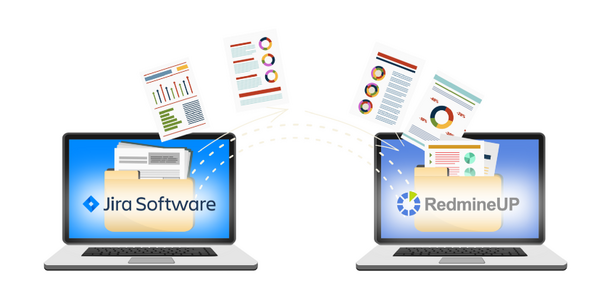
Atlassian has set the date: on March 28, 2029, every Jira Data Center instance becomes read-only. New Data Center licenses are no longer sold, prices for existing customers went up in February 2026, and the last renewal window closes in March 2028. .
For teams that chose Data Center precisely to keep their data on their own servers, the official path - Atlassian Cloud - is not an answer: after 2029 there is no on-premise Jira at all. This guide explains what changes and when, compares the realistic options, and gives you a step-by-step plan to move to a Jira on-premise alternative you fully control.
- What changes and when: the Data Center timeline
- Your three options after Jira Data Center
- Who should not move to Atlassian Cloud
- What a Jira Data Center replacement must cover
- A 5-step migration plan
- How to compare the real cost
- How RedmineUP helps Data Center teams
- FAQ
What changes and when: the Data Center timeline
Atlassian is winding Data Center down in stages over three years. Here are the dates that matter for planning:
| Date | What happens | What it means for you |
|---|---|---|
| February 17, 2026 | List prices for Jira, Confluence and Jira Service Management Data Center went up by about 15%; Advantaged plans rose by 18-40% depending on tier | Your next renewal costs more than the last one |
| March 30, 2026 | End of sale for new customers: no new Data Center licenses or Marketplace apps | A new team or a new subsidiary can no longer start on Data Center |
| March 30, 2028 | Last date for existing customers to renew or expand licenses | Your final renewal decision |
| March 28, 2029 | End of life: licenses and Marketplace apps expire, support stops, instances switch to read-only | You can still view data, but nobody can create or edit issues |
Two exceptions are worth knowing: Bitbucket Data Center and Jira Align Data Center are not part of this end of life, and Atlassian says it may offer extended maintenance to some customers by exception. Neither changes the picture for most Jira and Confluence teams. The official details are on the Atlassian migration page.
Note: read-only is not the same as "safe". After March 2029 you keep access to history, but no security fixes are shipped. Plan to export your data while the instance is still fully supported.
Still on Jira Server? Support for it ended on February 15, 2024, so you have no vendor security fixes today. The migration path below applies to you as well - and you do not need to wait for 2029.
Your three options after Jira Data Center
Every Data Center customer ends up choosing one of three paths. The right one depends less on features and more on where your data must live and who will run the system.
| Stay on Data Center | Move to Atlassian Cloud | Move to a self-hosted platform | |
|---|---|---|---|
| Where data lives | Your servers | Atlassian's cloud | Your servers or a hosting partner of your choice |
| How long it works | Until March 28, 2029 | Ongoing | Ongoing |
| Price trend | Rising at every renewal | Per-user subscription, apps re-priced for cloud | Fixed infrastructure plus optional support contract |
| Marketplace apps | Expire in 2029 | Need cloud versions; some do not exist | Replaced by built-in features or plugins |
| Effort | None now, a rushed migration later | Migration plus re-configuration | Migration plus re-configuration |
Option 1: Stay on Data Center as long as possible
This buys time, not a solution. Each renewal is more expensive, the platform receives security patches but no new features, and in 2029 you will migrate anyway - only under deadline pressure, which is when teams skip testing and user training.
Option 2: Move to Atlassian Cloud
This is the path Atlassian is designed around. You stop running servers and get cloud-only features such as Atlassian's AI tools. The trade-offs are just as clear: your data leaves your infrastructure, per-user prices compound with every list-price increase, and many Data Center apps either cost more in the cloud or have no cloud version at all. Most companies also pay for both environments during the transition.
Option 3: Move to an on-premise Jira alternative
For teams that picked Data Center for data sovereignty, compliance or cost predictability, this is the option that keeps those reasons intact. Open-source platforms such as Redmine run on your own servers, have no vendor end-of-life switch, and do not charge per user. We compared the main candidates - RedmineUP, OpenProject, GitLab, Odoo, Redmine and others - in our guide to open-source Jira alternatives, and looked at the wider market in top open source project management tools. This article focuses on what comes next: how to actually leave Data Center.
Who should not move to Atlassian Cloud
Cloud works well for many teams, but Data Center customers are often exactly the ones it does not suit. A self-hosted replacement is worth serious consideration if any of these apply to you:
- Data residency rules. Your contracts, industry regulations or national law require data to stay in a specific country or on infrastructure you own.
- Isolated networks. Your tracker runs inside a closed or air-gapped environment, for example in defence, healthcare, government or manufacturing.
- Security policy. Your security team does not approve third-party SaaS for source-adjacent data such as issue history, attachments and internal discussions.
- Large user counts with light usage. You have many occasional users - reporters, managers, clients - and per-user cloud pricing makes them expensive.
- Heavy customization. Your workflows depend on Data Center apps that have no cloud equivalent.
- No internet access. Your servers cannot reach the outside world, so everything - the application and its plugins - must be installed from files.
- Email-only requesters. Customers or colleagues who just send an email should not need a paid user account to get an answer.
If you recognise your team here, the question is not "which cloud plan", but "which self-hosted platform, and who will maintain it". We covered that infrastructure choice in detail in self-hosted or in the cloud: how to choose infrastructure for Redmine.
What a Jira Data Center replacement must cover
Before comparing products, map what your teams actually use in Jira today. Here is how typical Jira Data Center building blocks translate to Redmine with RedmineUP plugins:
| In Jira Data Center | In Redmine / RedmineUP |
|---|---|
| Projects and sub-projects | Projects and subprojects |
| Issue types | Trackers |
| Workflows and permission schemes | Workflows per tracker and role, configurable roles and permissions |
| Custom fields | Custom fields for issues, projects, users and time entries |
| Scrum and Kanban boards | Agile plugin: boards, sprints, burndown and other Agile charts |
| Jira Service Management | Helpdesk plugin: incoming email becomes a ticket inside Redmine, requesters reply by email without an account, SLA metrics |
| Confluence spaces | Built-in project wiki (Confluence pages are a separate migration from Jira issues - plan them separately) |
| Time tracking apps | Built-in time tracking, reports in the Reporter plugin |
| Capacity planning apps | Resources plugin |
| LDAP / directory sign-in | Built-in LDAP authentication. If you need SAML or another single sign-on, list it in your requirements and check it with us before you commit |
Anything left in the right column after this exercise is your real gap list. Some gaps are closed by other plugins, some by a small custom development project, and some turn out to be features nobody used. For a side-by-side feature view, see RedmineUP vs Jira. If service desk is a big part of your Jira setup, our overview of ticket systems for IT departments may help you compare options.
A 5-step migration plan
A Data Center migration is a project, not a weekend export. Here is the sequence that works for teams of 20 to several hundred users.
1. Take inventory
List projects, issue counts, custom fields, workflows, installed Marketplace apps, integrations (Git, CI, chat, SSO) and the number of active users. Separate real users from email-only requesters, and note the total size of attachments - it affects migration time. If you also run Confluence, list its spaces here. Mark each app as "must replace", "nice to have" or "not used". This list drives both the scope and the budget.
2. Decide what migrates
Not everything needs to move. In a Jira to Redmine migration you can transfer projects, issues, versions, custom fields, attachments, user accounts, groups and roles, comments and time entries - the full list is in our Jira migration guide. Closed projects older than a few years are often better archived as an export than migrated.
3. Run a pilot project
Pick one active team, migrate its project - or a test copy of it - and let it work in the new system for two to four weeks. The pilot will surface workflow differences, missing fields and training needs while the stakes are still low.
4. Migrate the rest and cut over
Migrate the remaining projects in batches, freeze changes in Jira for the final sync, then switch users over. Keep Data Center available in read-only mode for reference for a few months - but do not rely on it after March 2029.
5. Train and tune
Short role-based sessions for project managers, developers and support agents work better than one long demo. Collect feedback during the first month and adjust workflows, saved queries and dashboards.
Note: work backwards from your March 2028 renewal. If you want to avoid paying for one more Data Center term, the pilot should be finished well before the renewal date.
How to compare the real cost
The license price is only one line in the budget. Compare at least a three-year total cost of ownership for each option:
- Staying on Data Center: renewals at the new 2026 prices, Marketplace app renewals, server and admin time - and the migration you will still need before 2029.
- Atlassian Cloud: per-user subscription with expected annual increases, cloud versions of your apps, migration services and months of paying for two systems in parallel.
- Self-hosted platform: servers or private hosting, admin time or a maintenance contract, plugin licenses, and a one-time migration.
How RedmineUP helps Data Center teams
RedmineUP is built on open-source Redmine and extends it with 18 plugins, so you keep the freedom of open source and get a tool that covers Jira, Jira Service Management and Confluence use cases in one place. For teams leaving Data Center, four things matter most:
- Your choice of deployment. Run it on your own servers with our installation and maintenance services, or use RedmineUP Cloud. You can start in the cloud and move on-premises later without losing data.
- Plugins you own. A plugin purchase gives you the right to use it without time limits; the 12-month license covers updates and support. You can start with the plugins you need and add others later.
- Migration done for you. Our team migrates projects, issues, users, attachments and history from Jira with automated scripts and checks the result with you before cut-over.
- No end-of-life switch. Redmine is actively developed - Redmine 7.0 shipped in 2026 - and your instance keeps working on your terms.
Want to see how your Jira setup would look after migration? Send us a short description of your instance - number of users, projects and key apps - and we will propose a migration plan.
FAQ
Will Jira Data Center stop working in 2029?
After March 28, 2029, Data Center licenses and Marketplace apps expire and instances become read-only: you can view existing data, but you cannot create or edit issues, and Atlassian no longer provides support or security updates.
Can I still buy Jira Data Center?
Not as a new customer - sales to new customers ended on March 30, 2026. Existing customers can renew and add users until March 30, 2028.
Is there an on-premises version of Jira after 2029?
No. Apart from extended maintenance that Atlassian may grant some customers by exception, Atlassian Cloud is the only Jira option after end of life. If you need to stay on-premises, you need a different platform.
How long does a migration from Jira Data Center take?
It depends on data volume and customization. A pilot project usually takes a few weeks; a full migration of a mid-sized instance is typically planned over a few months, including parallel running and training.
Can I try the migration before I commit?
Yes. Run a pilot on one project, or start with a trial instance, and check the result with your team before moving everything. See the Jira migration guide for the details.
Can we install it on a closed network without internet?
Yes. Redmine and its plugins are installed from files on your own server, so a closed or air-gapped network is a normal setup. Our installation service can help.
Do our customers need accounts to send requests?
Not with the Helpdesk plugin: people write to a support email address, the message becomes a ticket, and replies go back by email.
Which open-source tool is the best Jira alternative?
It depends on your team. We compare the main options - RedmineUP, OpenProject, GitLab, Odoo and Redmine - in our open-source Jira alternatives guide.