New features in Redmine Checklists plugin
See what's new in the latest versions of our Checklists plugin
New features
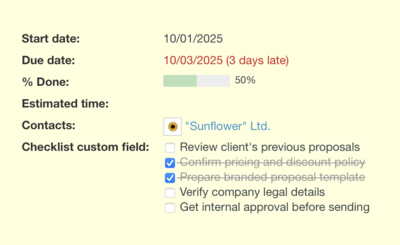
New custom field type: Checklist
With the new Checklist custom field type, you can now add multiple checklists to any Redmine object — issues, projects, contacts, and more. This allows you to create reusable checklists directly in the object's form, track progress separately for each checklist, and standardize recurring processes across your Redmine instance.
Sections
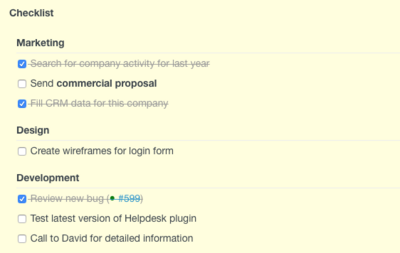
Checklist items can now be grouped into different sections. This feature is useful when you need to organize small subtasks by category — for example: Design, Development, or Layout.
Hide completed checklist items
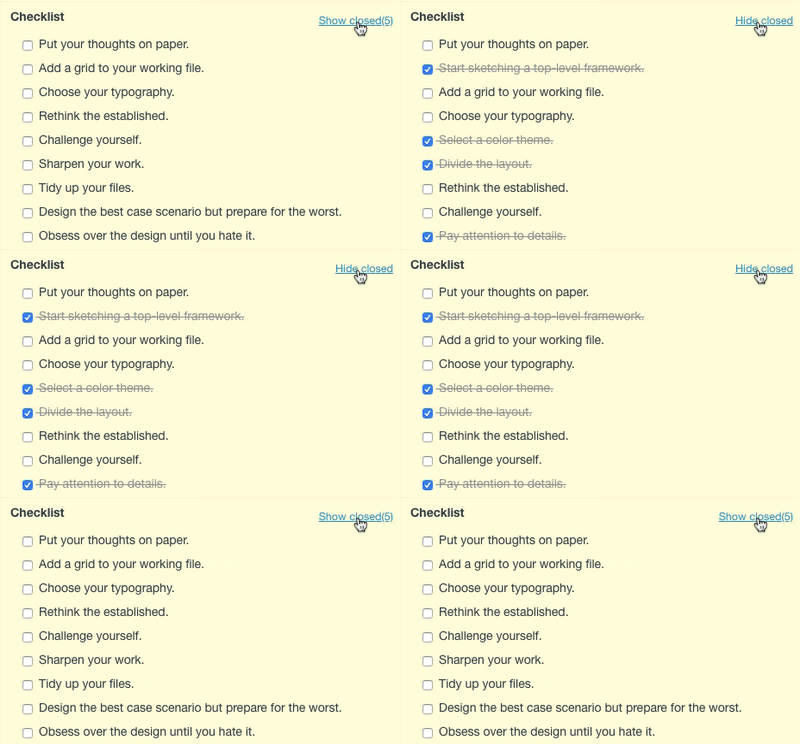
When an issue contains a large number of checklist items that are frequently updated, it’s convenient to hide completed ones. The current display preference is also remembered for each user individually.
Selecting generic default templates and default templates for trackers
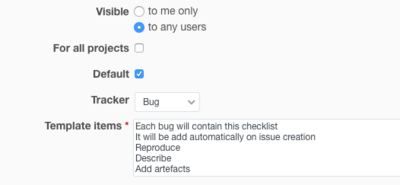
Now you can choose a default template for a single tracker or all of them. Then, each created issue will automatically come with a checklist formed from the selected template. You can also exclude particular templates if you assign them to a specific tracker.
History of changes
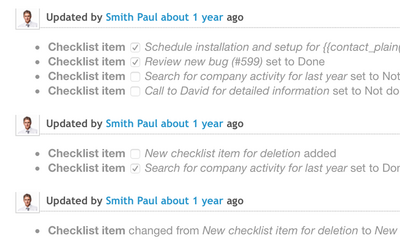
Any change made to checklist elements, including the instance of deleting an object, is recorded in the history of the task(issue). What is more, records are kept under one "task" on the list, not to multiply the marking of "done/undone."
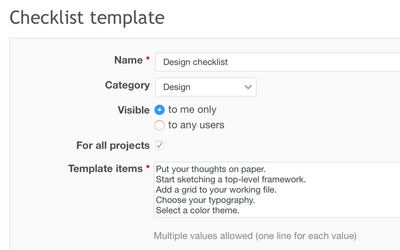
Checklist templates
Templates allow you to save the typically used sets of tasks/items and repeat them to other issues. They can be created as "private" - visible only to a particular user, or "public" - which are available for everyone. Moreover, public templates can be available for only one project or all of them.