Screenshots are imoprtant part of our user documentaion, marketing materials and website content. We have to use common rules for unifying look and feel and providing clear and good-looking materials
- Common requirements
- Scale
- Creating screenshots on Mac
- Capturing screenshots in Google Chrome
- Youtube channel
Common requirements
- Screenshot has not be stretched from original ratio
- Screenshot is not contains browser tabs, favorites and other apps
- Screenshot is not contains browser window shadows. Use Grab app on Mac instead of default shotcuts
| DO | DON'T |
| 4x3 aspect ration, garbage elements and shadows. | Stretched size, shadows, tabs and favorites. |
Scale
- Screenshot is created at 2x for retina displays (if alloweb by used hardware)
- Screenshot of browser window is created for 4:3 (normal) or 16:9 (wide) aspect ratios
- Browser window screenshot sizes are the following:
- Small - 1100x825
- Large - 1440x1080
Creating screenshots on Mac
Shortcuts
- cmd+shift+3 - whole screen
- cmd+shift+4 - selected area
- cmd+shift+4 then space - selected window
From Terminal with specific window size
$ osascript -e 'tell application "Safari" to set the bounds of the front window to {0, 0, 1100, 825}'
$ screencapture -ol$(osascript -e 'tell app "Safari" to id of window 1') ~/Desktop/screenshot1.png
Capturing screenshots in Google Chrome
Recommedned to use Awesome screenshots plugin for Chrome. It has some useful features like "Delayed capture" and post processing annotation.
Youtube channel
The channel credentials:
Google email
ads@redminecrm.com
Hs;br12!
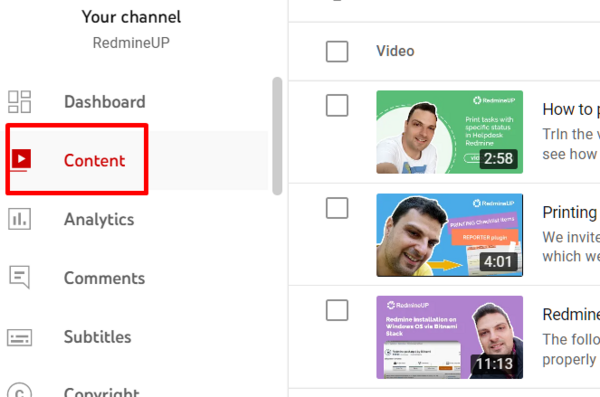
Go to Youtube studio:
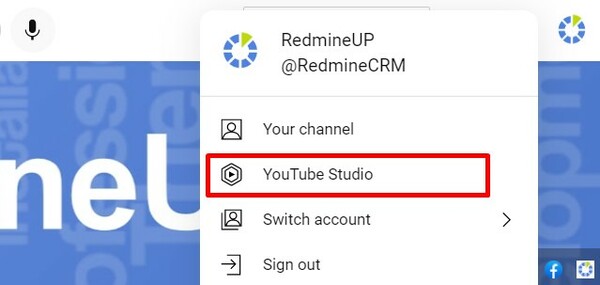
It’s useful to install vidiq extension for recommendations, keyword analysis, and checklists.
https://vidiq.com/
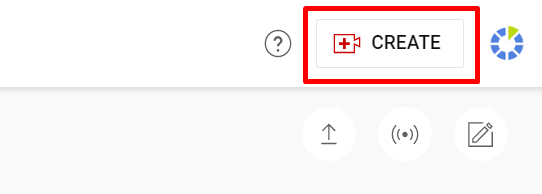
Go to Create - Upload videos
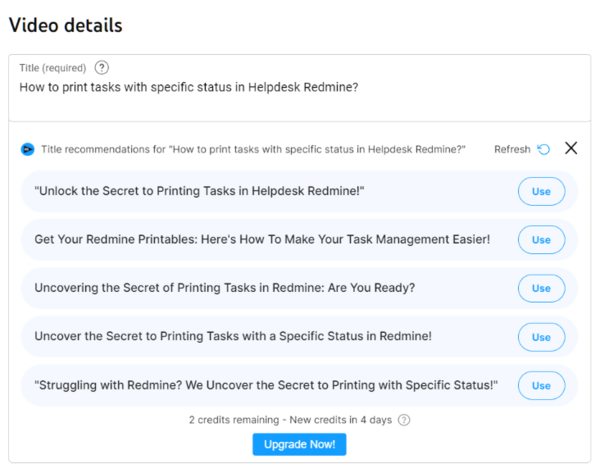
Title
Write title with details and keywords. You may use recommendations by vidiq.
Description
Write a short description about the video, some details and keywords are welcome.
Also use the standard part of the description:
Learn more about our Redmine plugins at: https://www.redmineup.com/pages/plugins
Don't waste your time on Redmine maintenance. Hire experts and focus on your projects with RedmineUP Cloud version: https://www.redmineup.com/pages/cloud/project-management
Our Help & Support Сenter: https://www.redmineup.com/pages/help
More useful content in our blog: https://www.redmineup.com/pages/blog
Follow us on social networks: https://www.facebook.com/redmineup/ https://twitter.com/redmineup https://www.linkedin.com/company/redmineup/
Tags
Input the tags relevant to the video description.
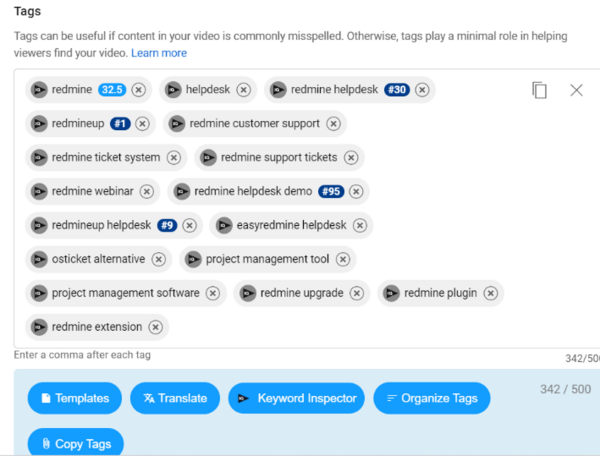
List of some tags to use:
redmine helpdesk redmineup redmine customer support redmine ticket system redmine support tickets redmine webinar redmine helpdesk demo redmineup helpdesk easyredmine helpdesk alternative osticket alternative project management tool project management software redmine upgrade redmine plugin redmine extension Reporter plugin Redmine redmine reporter redmine reporter demo redmineup reporter redmine installation
Do not input too many, but only relevant ones.
Youtube thumbnails
To create thumbnails use the following templates:
https://www.figma.com/board/seDuLVlPkWIDhX54jQm7UT/Diagram---redmineUP?node-id=0-1&p=f&t=Kzoaf2lSiuYrASTT-0
1) Choose one of the templates, select it and copy it to some area nearby.
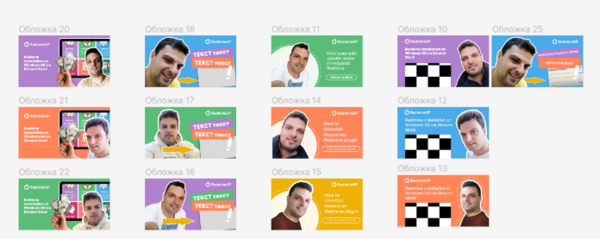
2) Input texts in text blocks of the template
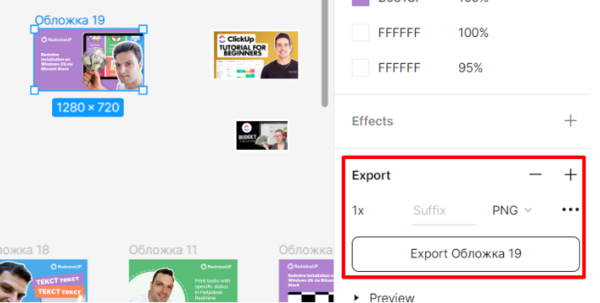
3) Export the file
Other settings
Keep the rest of video settings the same as for other videos on the channel.