
Over the past few years, our team has noticed an increase in the number of people using Redmine as a comprehensive helpdesk and ticket system. The key benefit of this is that the support team works in the same system as the software development team.
.
There is clearly a synergy from this type of collaboration. For example, help centres in the healthcare sector create RedmineUP accounts to connect with all centres and organise remote work and assistance for their branches. Another example is manufacturers, who bring engineers and customers together to improve products and services.
Among the reasons our customers highlighted that they needed an automation tool were the need for a more visual way to see what was going on in the field and the need for ready-to-use reports for managers.
The last time we shared a case study with METRANS, their existing Redmine setup struggled to handle the varied demands of their support inquiries. They were looking for a way to work more efficiently, respond faster, and, in the end, make their customers happier.
From our experience at Metrans, Redmine, combined with RedmineUP plugins, offers a powerful mix of features, efficiency, and cost-effectiveness. We’re especially eager about the upcoming Redmine 6 release and can’t wait to integrate it to streamline our processes even more. Max Devaine, IT Supervisor
In today's Observ, we compared the best open source ticketing systems and help desks in 2025 and shared our recommendations for different use cases.
The top 5 free helpdesk and ticketing systems in 2025.
Building on our previous review of the best open-source project management tools for 2025, we will now explore the best helpdesk and ticket systems. This review will demonstrate how open source solutions can transform your work experience for the better.
A typical open-source helpdesk system comprises several key components that work together to optimise customer support operations. At its core is the ticketing system, which converts user requests from various channels into trackable tickets for creation and management. Status tracking features provide visibility by using labels such as 'Open', 'Pending', 'Resolved' and 'Closed', while prioritisation capabilities help to manage workloads by setting urgency levels ranging from 'Low' to 'Critical'.
Multi-channel support capabilities ensure comprehensive coverage across different communication platforms. Email integration automatically converts messages sent to support addresses into tickets, and live chat and messaging features enable real-time interactions with both chatbots and human agents.
Automation and workflow features significantly enhance operational efficiency. Automatic responders provide immediate acknowledgement of new tickets, while pre-written responses offer quick solutions to frequently asked questions. SLA management tools enforce timely resolution through escalation rules and tagging/categorisation functions automatically organise tickets for better management.
The knowledge base and self-service components empower users to find answers independently, thereby reducing ticket volume. FAQ sections address common queries, while public and private documentation provides guides, tutorials and troubleshooting articles. Some systems also include community forums for peer-to-peer support discussions.
1. RedmineUP Helpdesk
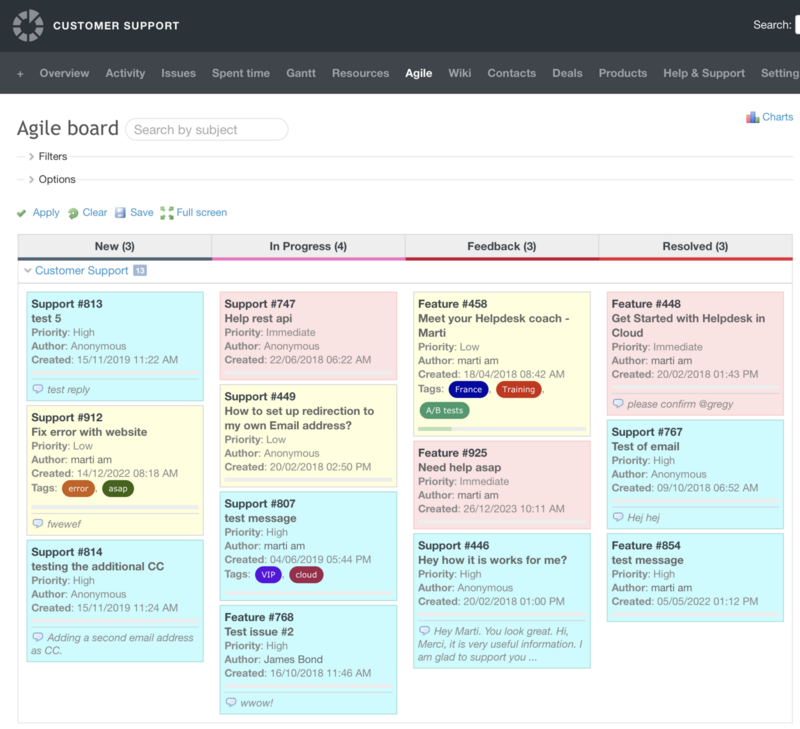
Adopting open-source project management tools such as Redmine is a powerful way to integrate new technologies and methodologies. Redmine is an excellent choice for a ticketing system. It offers a high degree of customisation, enabling you to adapt ticket fields, workflows and permissions to your exact requirements. Redmine supports comments, attachments, and email notifications, facilitating communication between team members.
One of the main advantages of Kanban is that you can physically see the work progress through the stages. The task card starts on the left of the Kanban board and moves up to the 'Resolved' column as the task is completed. This gives you an overview of work progression and displays the current status in real time.
While a traditional ticket list provides a static view of your helpdesk issues, a Kanban board offers a dynamic, visual representation that significantly enhances workflow management. You can select and arrange specific ticket attributes to create a tailored view. This includes standard information such as ticket ID, subject, status, priority and assigned user, as well as custom fields specific to your helpdesk needs. You can see the primary contact for each ticket at a glance, which streamlines communication and collaboration.
Dimitar Chervenakov At RedmineUP, we have weekly stand-up meetings where we go over the results of customer support metrics. During the meeting, we talked about the main things we're tracking in our service to figure out what we can do better next week to give our customers a better experience. One of the most important things we look at is the customer satisfaction rate.
The Redmine Helpdesk plugin is one of the Top 10 Redmine Plugins. It allows you to track and scale team performance using a range of insightful helpdesk metrics. You can also regularly update and improve the knowledge base based on customer queries, as well as update training materials based on emerging issues and trends.
Although Redmine is primarily known for its project management capabilities, its flexibility means it can also serve as a robust IT Service Management (ITSM) solution. Our previous post marks the beginning of a series exploring how Redmine can be used to implement robust ITSM practices.
The price for 25 users is $690 per year.
Migrate to secure hosting
Don't waste your time on Redmine maintenance. Hire experts and focus on your projects
2. Zammad
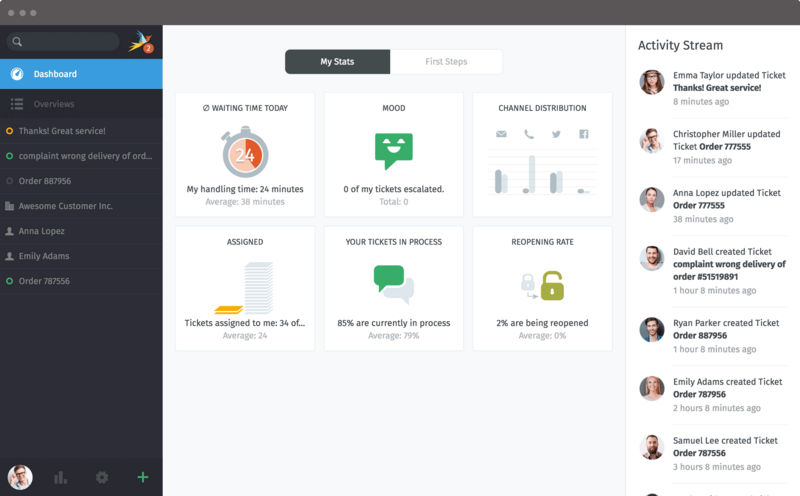
Zammad is a robust, enterprise-grade helpdesk solution designed to meet the complex demands of large teams and growing organisations. Unlike basic ticketing systems, Zammad provides the scalability, automation and security features enterprises need to efficiently manage high-volume support operations.
Large teams benefit from Zammad’s powerful automation capabilities, which reduce the manual workload and improve response times. Time-based triggers automatically escalate unresolved tickets after predefined periods, while custom macros enable teams to automate repetitive actions with a single click. The system also supports SLA policies with configurable escalation rules, ensuring compliance with strict response time agreements — a critical feature for IT teams, managed service providers (MSPs) and large customer service departments.
The price for 25 users is $4500 per year. Create a free account
3. OsTicket
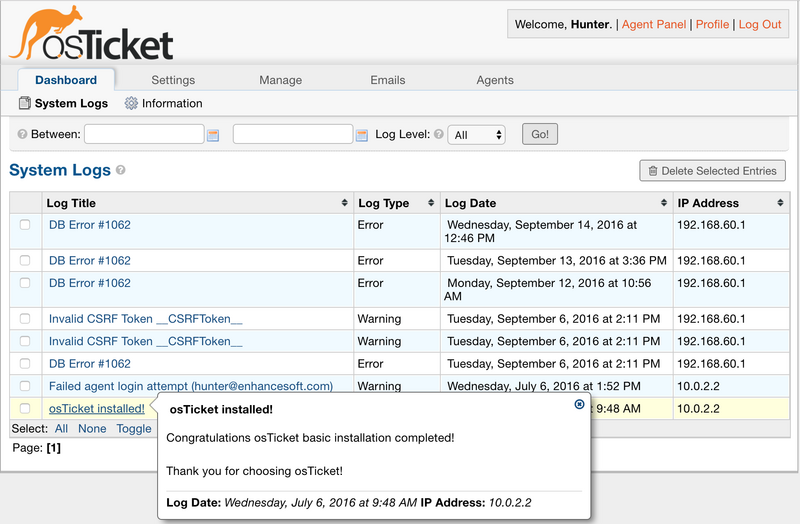
For early-stage companies and bootstrapped start-ups, every penny and minute counts, so osTicket is the ideal helpdesk solution. It delivers all the essential ticketing functionality you need without the high costs or complexity of enterprise alternatives.
Startups don't have time for complicated deployment processes, and osTicket is designed for quick installation on Linux, Windows or cloud servers with minimal setup required. No deep technical expertise is required — just configure your ticket queues, agents, and basic workflows, and you’re ready to go.
The price for 25 users is $500 per year. Create a free account
4. UVdesk
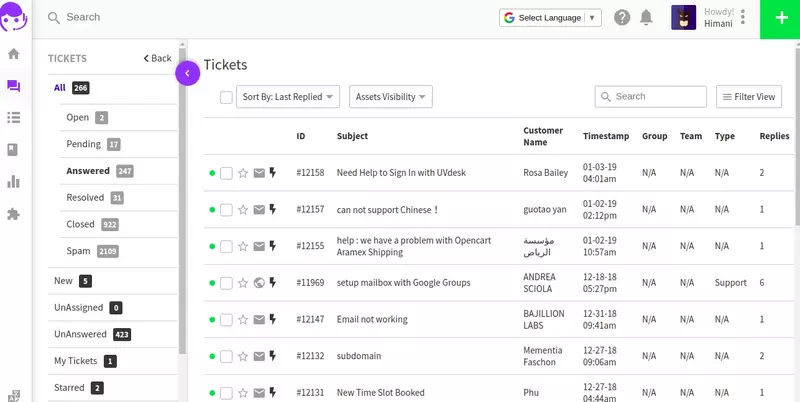
UVdesk is a comprehensive, open-source helpdesk platform that combines powerful ticketing, automation and customer engagement tools in a single, unified system. Unlike basic ticketing solutions, UVdesk provides an enterprise-grade feature set that remains accessible to businesses of all sizes.
UVdesk provides cloud and self-hosted deployment options, offering role-based access control, IP restrictions and comprehensive audit logs. The platform meets strict compliance requirements, including GDPR, making it suitable for regulated industries.
The price for 25 users is $3300 per year. Create a free account
5. FreeScout
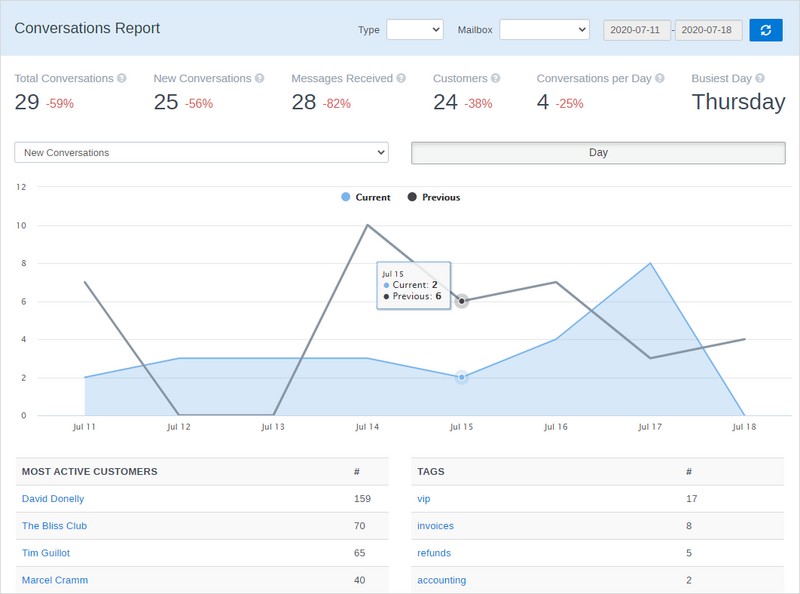
If you love the simplicity of Gmail but need a proper helpdesk, look no further than FreeScout. It retains all the features you love about email, such as the clean interface, quick replies and familiar workflows, and enhances them with powerful ticketing capabilities, all while remaining lightweight and user-friendly.
FreeScout eliminates the hassle of switching between Gmail and a separate ticketing system. Everything lives in one place:
- When customers email you, it becomes a tracked ticket.
- You reply → it looks like a regular email to them
- Team collaboration happens behind the scenes.
How to choose between Cloud-based and Self-Hosted open-source helpdesk?
When choosing between a cloud-based and a self-hosted open-source helpdesk solution, consider the following key factors based on your specific requirements:
1. Scalability and storage requirements
- Cloud-based solutions: It automatically scales with your ticket volume, so you don't need to worry about server capacity. Storage is usually managed by the provider, though costs may increase with higher usage.
- Self-hosted: Manual scaling is required (server resources must be upgraded as ticket numbers grow). You must manage storage, backups and database optimisation.
2. Additional modules and customisations
- Cloud-based: Some SaaS help desks offer integrations (CRM, reporting and automation) as paid add-ons, but customisation may be limited.
- Self-hosted: There is more flexibility to integrate with external tools (e.g. CRM systems such as SuiteCRM and invoicing systems such as Invoice Ninja) and modify the source code for custom fields, workflows or reports.
3. Technical support and SLAs
- Cloud-based: Typically includes vendor support with SLAs (e.g. response times and uptime guarantees).
- Self-hosted: Relies on community support or paid third-party services, unless the project itself offers commercial support.
4. Remote and mobile accessibility
- Cloud-based: Accessible from any device/location without setup (hosted on vendor servers).
- Self-hosted: Requires secure remote access (VPN, exposed APIs) and mobile optimisation (responsive UI or dedicated app).
Other considerations
Cost: Cloud models incur recurring fees, whereas self-hosted models require upfront infrastructure costs. Compliance: Self-hosting may be preferable for strict data governance (GDPR, HIPAA). Maintenance: Self-hosting requires IT expertise for updates, security and troubleshooting. Recommendation:
Choose a cloud-based solution if you prioritise ease of use, scalability and outsourced maintenance. Choose self-hosting if you require full control, customisation and data ownership.