

Redmine is the most popular open-source project management tool among small and medium-sized businesses. Word of mouth is the main way it has spread. Conferences and meet-ups are good places to share successful use cases. Consequently, many new Redmine users are looking for smart ways to adopt Redmine.
.
Six months ago, we published a guide on how to introduce Redmine to the whole team. This was a use case for someone who already had a positive experience with Redmine. This time, we would like to share a free way to try out the Redmine demo. With the right plugins, you can customise it to fit your exact workflow, whether you're using Redmine on-premises or in the cloud.

A quick search will take you to the official Redmine.org website, where you will find all the relevant information, as well as the platform, user guide, plugins and community forums. However, there is no official Redmine demo. There is no place where you can create a test project, add issues, assign colleagues and see it in action.
This is because Redmine requires server infrastructure and quite skilled DevOps for installation. However, with Redmine Cloud, everything is ready to use. That's why, at RedmineUP, we offer a few options to get started with a Redmine demo.
Redmine demo
The RedmineUP demo consists of the core Redmine features, plus all the popular plugins that are natively integrated with Redmine. For example, the customer support team will use the Helpdesk, CRM and Invoices plugins. The product development team will need the Agile, Resources and Checklists plugins. Each team can therefore create a test project and see how it works in practice.
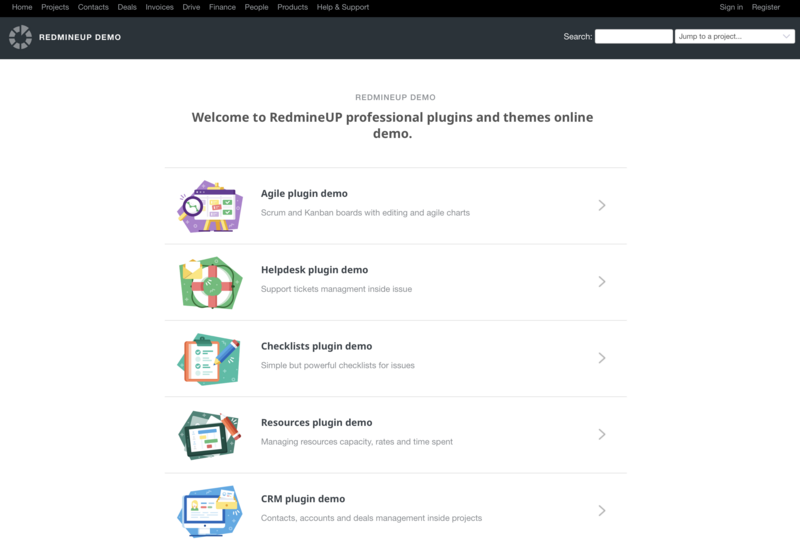
Not sure if Redmine is right for you? Test it with our free demo!
With our live demo environment, you can:
- Explore Redmine’s core features (issue tracking, Gantt charts, time tracking).
- Test premium plugins (Agile, Helpdesk, Resource Management, and more).
- See how Redmine adapts to your workflow before installation.
However, all data will be refreshed the next day, so if you want to see dynamics and reports over a period of a few days, it is better to create a free cloud account.
Create a free Redmine account
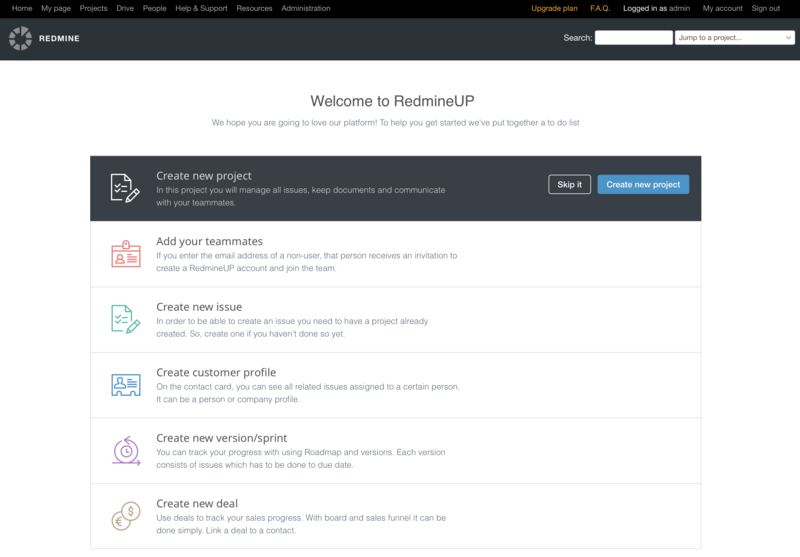
Redmine, while an open-source tool, requires server infrastructure and technical skills in Ruby and Linux to set up. This can be complex, making Redmine Cloud a more accessible option. Redmine Cloud offers a ready-to-use, stable version of Redmine, along with popular plugins. Instead of investing around $7000 in server infrastructure and hiring Redmine experts, you can create a free cloud account to get started.
Dedicated Redmine hosting, such as RedmineUP Cloud, includes TLS/SSL encryption, daily backups, firewall management, load balancing, and independent, secure clusters. AWS infrastructure provides high availability and performance. Active Directory integration using SAML.
Redmine best practices and use cases.
Not sure if Redmine is right for you? Check out a few general use case from Redmine users.
1.Redmine is ideal for software development teams.
The specifics of working in software teams consist of limited resources and an always increasing list of tasks. Redmine, an issue tracker and project management tool, helps to develop software faster and with more control. Follow our guide to learn about its main benefits for software development teams. Take a look at the full case study.
Learn more about Managing Agile projects: SCRUM and Kanban in Redmine from our webinar.
2.Customer Support with Redmine Helpdesk
METRANS encountered several difficulties in managing its support operations. The company deals with a large number of support requests sent through email, spanning multiple departments like IT, SAP, and Invoice.
At first, these emails had to be manually sorted and directed to the appropriate teams, causing bottlenecks and slower response times. METRANS implemented RedmineUP's Helpdesk plugin with the CRM plugin address these challenges.
The Helpdesk plugin offered a single, unified platform to handle all customer support inquiries, while the CRM plugin made it possible to assist anonymous users by linking their requests to specific contacts. Take a look at the full case study.
3.How to allocate your resources in Redmine?
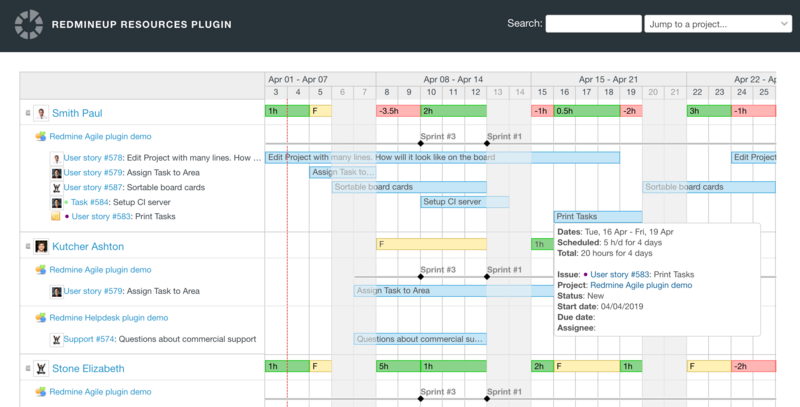
Each employee of your company is a resource. To correctly manage their allocation, you need a strategy and a good schedule. Especially if your projects are billed according to the "time and material" approach, you need to make sure their time is locked for the most crucial assignments. All planned release dates are visible here as well, so you can instantly see how much time you have available. The Resources plugin takes into consideration workday length and excludes weekends.
When you move the mouse over the line with the booking, you will see details along with statistics on a tooltip. Here you can click and edit the booking or drag and move the booking to re-adjust it for your needs. Take a look at the full case study.
What is the best way to deploy Redmine?
On-premises Redmine: This approach offers a high level of control and customisation, but requires technical expertise to install, configure and maintain. You'll have full control over your data and security, but there's a higher initial cost and Redmine maintenance.
Cloud Redmine: Cloud-based solutions are easier to set up and manage. They often come with automatic updates and security patches, and you can easily scale your Redmine instance as your needs grow. However, you'll rely on third-party service providers for security and data privacy.
Consider factors such as technical expertise (Ruby, Linux, PostgreSQL, Nginx) security requirements, budget and scalability when making your decision.
Prompt for RedmineUP expert
At RedmineUP Cloud we have an expert who can share some use cases and best practices. It will be helpful to discover Redmine 6 and find out the best way to configure Redmine for your team.
To ask a Redmine expert, drop us a message. A team of experts will check your Redmine use case and recommend the best course of action.