
Redmine 6.1 is a significant upgrade to the popular open-source project management tool. This latest version brings a host of new features and enhancements that promise to streamline workflows and improve the overall user experience.
.
Marius Balteanu, Contributor This release is a result of implementing nearly 70 issues, from small optimizations to completely new features, designed to improve user workflows and provide administrators with more control. Redmine developers can now use more modern tools from the Rails world.
At RedmineUP, we are continually impressed by the dedication of the Redmine community. The contributions from talented developers directly enhance the platform, and we are proud to support these efforts. We encourage everyone to keep building a stronger Redmine together.
This post highlights the key improvements, and you can find the full changelog on Redmine.org.
New features and enhancements:
1. Reactions to content
This version introduces a new reaction feature to Redmine, adding interactive reaction buttons to issues, notes, news, comments, and forum messages. When users hover over a reaction, a tooltip appears displaying the names of up to ten users who have reacted, with the total count of additional users shown if more than ten have participated.
This feature is enabled by default but can be disabled by an administrator within the administration settings. The addition of reactions introduces a social, interactive element to the platform, making collaborative work feel more dynamic, engaging, and enjoyable. (#42630)

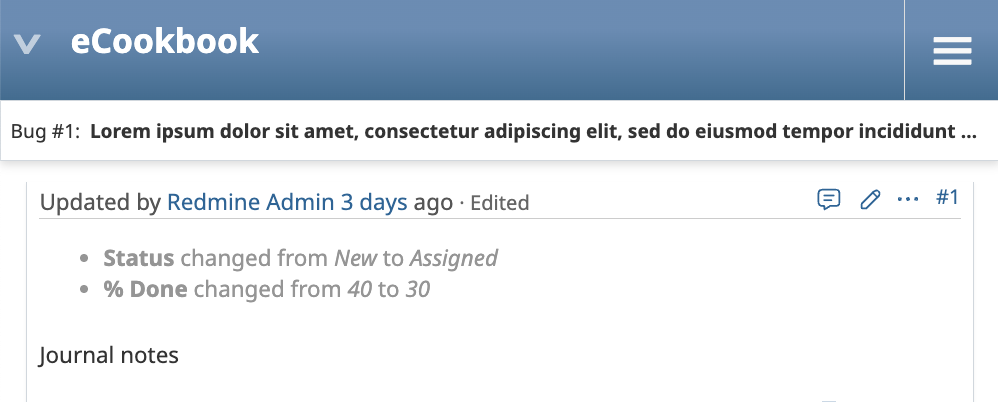
2. Sticky header for issues
This design ensures that the issue ID and subject remain constantly accessible during navigation of lengthy comment threads or extensive attachment lists, thereby improving user orientation. By persistently displaying the current issue's context, this feature also minimizes the potential for user error, such as accidentally posting a comment to the wrong issue.
The header remains unobtrusive, appearing only when needed to avoid cluttering the interface during normal browsing. (#42684)
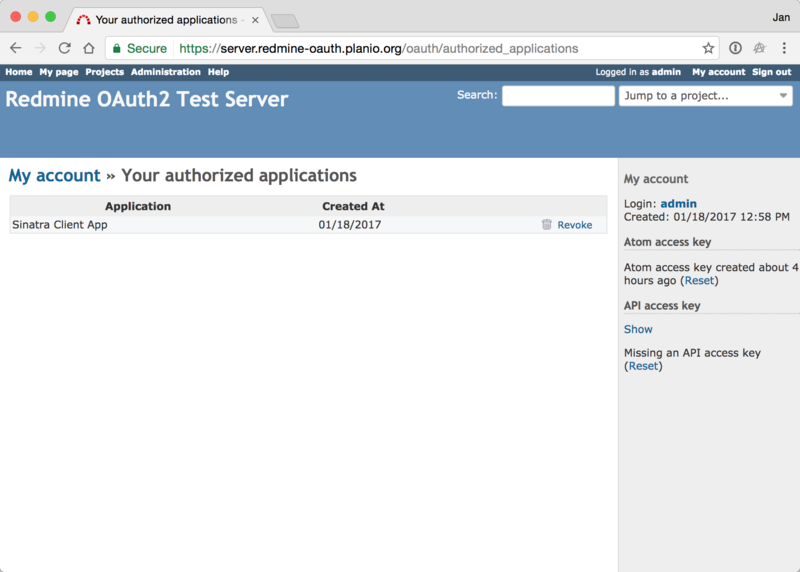
3. OAuth2 support for Redmine API Apps
This enhancement transforms Redmine into an OAuth 2.0 provider, introducing a modern and secure authentication flow for its API. Instead of manually generating and sharing static API keys, users can now authorize third-party applications directly.
This process provides two significant security benefits: it allows users to authenticate securely without exposing their credentials to the client application, and it enables granular control over permissions.
Users can review and grant specific data access scopes to each application, ensuring clients only receive the minimum level of access required, rather than gaining the full scope of the user's privileges. (#24808)
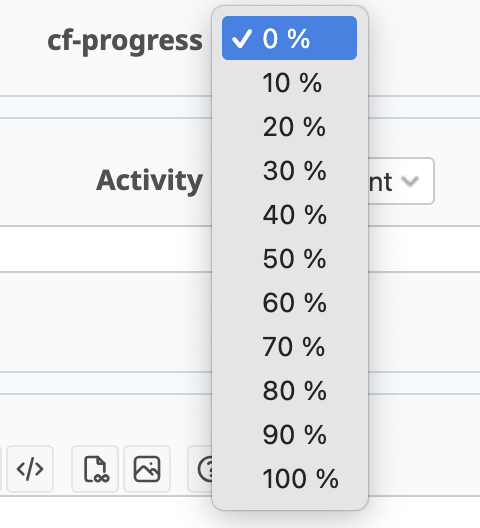
4. "Progress bar" custom field
A new custom field format, "Progress bar," has been introduced. This field visually represents completion status, functioning identically to the standard "Done Ratio" field used for issues.(#42335)

5. New Copy buttons
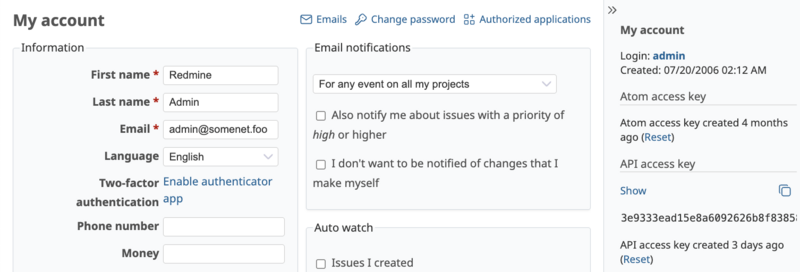
This enhancement introduces a one-click copy function for API keys and code snippets contained within pre or code blocks. Users can now instantly copy this information to their clipboard with a single action, eliminating the tedious and error-prone process of manual selection and copying.
This streamlines integration workflows, reduces the risk of typographical errors in authentication credentials, and improves overall efficiency when working with code examples or configuration data. (#5953) (#29214)
Technical Upgrades and Performance:
- Ruby 3.4 is now supported (#41976) and support for Ruby 3.1 has been dropped (#41976).
- A major front-end improvement is the integration of Stimulus.js into the core as the modern JavaScript framework. While initial adoption is focused on modernizing a few key features, this lays the groundwork for broader use in future versions. #42510
- Performance is a key focus, with 14 issues dedicated to improvements. To aid developers in writing efficient code, Redmine now includes integration with the Bullet gem, which automatically flags problematic database queries. #42555
Enhanced performance and usability:
This release delivers a faster, smoother experience with key optimizations:
- Quicker activity feeds: Optimized queries mean the activity list loads significantly faster. (#42077)
- Improved Gantt charts & Roadmaps: Experience better performance when working with project timelines and planning views. (#42663)
- Modernized history display: The history tab has been redesigned for a cleaner, more intuitive overview.(#40744)
How to upgrade Redmine?
The Redmine upgrade process itself can be daunting, with a risk of downtime or unexpected issues. CTOs worry about disruptions to ongoing projects if the upgrade doesn't go smoothly.
However, with the right approach, you can upgrade Redmine: to the latest version smoothly and without downtime. In this Redmine upgrade guide, we'll walk you through a step-by-step process to ensure a seamless upgrade in 2025.
For our RedmineUP hosting customers, we handle all Redmine updates. We thoroughly test new versions like 6.1.0 for plugin compatibility and deploy them automatically. This saves you time, ensures security, and gives you peace of mind, so your team can just enjoy the latest features.
The most important consideration when updating Redmine is data integrity. It is therefore essential that a data migration plan, including a database backup, is completed by your organisation's CTO. Troubleshooting is an effective method of preparing for plugin conflicts.
Migrate to secure hosting
Don't waste your time on Redmine maintenance. Hire experts and focus on your projects
We offer Redmine maintenance services. Redmine migration is usually completed within one business day, and performed in suitable time for your team, independent of your timezone. Our expert support ensures optimal setup for your self-hosted RedmineUP Enterprise on-premises edition. Skilled engineers consult on system requirements and guide you through the installation within your infrastructure.
To book the maintenance plan drop us a message. A team of experts will check your Redmine environment and recommend the best course of action.