
Most teams running Redmine for project management hit the same ceiling around month three. The issue tracker works fine. The problem is everything around it: you can see what's assigned, but not whether anyone has capacity. You can close tickets, but not generate a clean report for Friday's client call. You can create subtasks, but your board turns into noise. .
The answer isn't switching tools. The right Redmine plugins for project management close those gaps without replacing everything your team already knows. Each one below works as a focused Redmine project management plugin, not a bolt-on you'll rip out in six months.
Best plugins that work with Redmine 7
Last time, we covered what's new in Redmine 7. This time, we're looking at the plugins that are already compatible with it.
This guide covers the six plugins that transform Redmine from a ticket tracker into a full project management platform — based on what teams actually install and what converts into real usage
1. Redmine Agile Plugin

The Redmine Agile plugin is the most installed plugin in the ecosystem, and for good reason. It adds everything Redmine's built-in boards can't do:
- Redmine Kanban boards with drag-and-drop across any status transition and WIP limits
- Scrum sprint planning with story points, backlog prioritisation, and velocity tracking
- Swimlanes to separate work by team, priority, or project
- 11 Agile charts including burn-down, burn-up, cumulative flow, and lead time
The part worth emphasising: it's workflow-aware. If your workflow says an issue can't go from "New" directly to "Closed," the board won't let anyone drag it there. On a team with junior members or contractors, that matters more than it sounds. We walk through a real example of enforcing workflow discipline in our issue-tracking case study.
Note: The Redmine Agile plugin works with Scrum, Kanban, Scrumban, or any hybrid setup. Boards are configurable per project, per team, or per person.
Manny Palachuk
Business Coach I love checklists, and CRM and Questions, but I'm an Agile guy. Our platform is a customized Redmine to use for Business Strategy Development. So my favorite plugin / function is the Agile plugin. It makes the strategy development come alive.
Read the full Manny Palachuk case study.
2. Resources Plugin
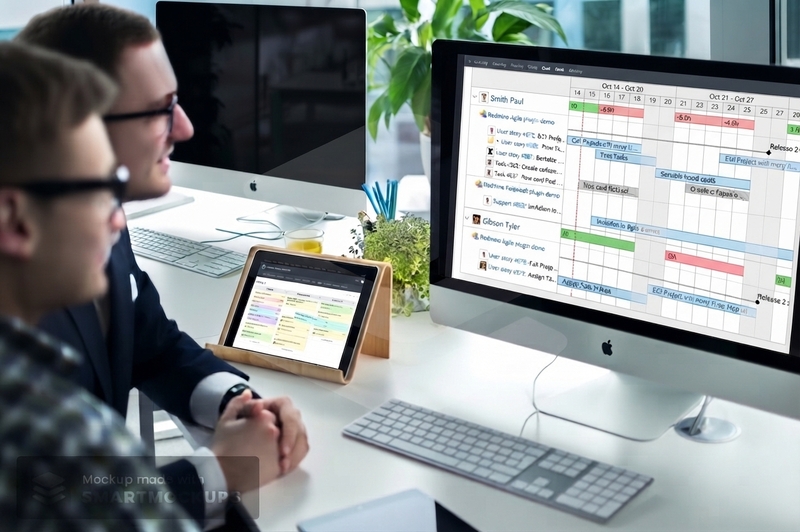
The question project managers ask most: "do we have capacity for this?" Redmine doesn't answer it out of the box. The Resources plugin is the Redmine resource management plugin that closes that gap.
It adds a visual resource planner showing workload, availability, and time allocation per person across all projects simultaneously — and it separates assignments from bookings, which sounds pedantic until you're juggling more than a handful of people:
- See who is at 120% utilisation before the sprint starts, not after
- Track actual vs planned time automatically via Redmine's built-in time tracking
- Give individual contributors a personal workspace view of their own schedule
- Set availability per user — part-time, vacation, bench time
Note: The Resources plugin integrates directly with Redmine time tracking. Actual hours logged update the workload view automatically, no manual syncing needed.
We've written more on planning resources across projects, if you want the fuller picture.
3. Reporter Plugin
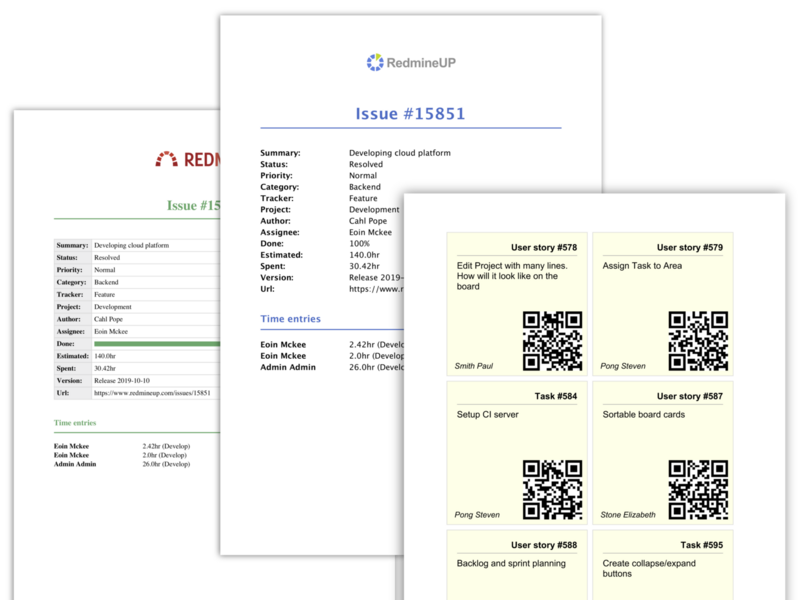
Every PM knows the Friday ritual: export data from Redmine, paste into a spreadsheet, reformat, send. The Reporter plugin kills that ritual. It's basically a Redmine reporting plugin built for exactly that handoff.
It lets you build reusable report templates from any combination of:
- Issue data with custom fields
- Time entries per user or project
- Notes and comments
- Multi-project summaries
Output goes to PDF directly. Templates are saved, so your weekly client report takes one click the second week. For teams doing client work, this removes the most tedious part of project management. For internal teams, it handles sprint retrospective data and board-level reporting without a separate BI tool.
4. People Plugin
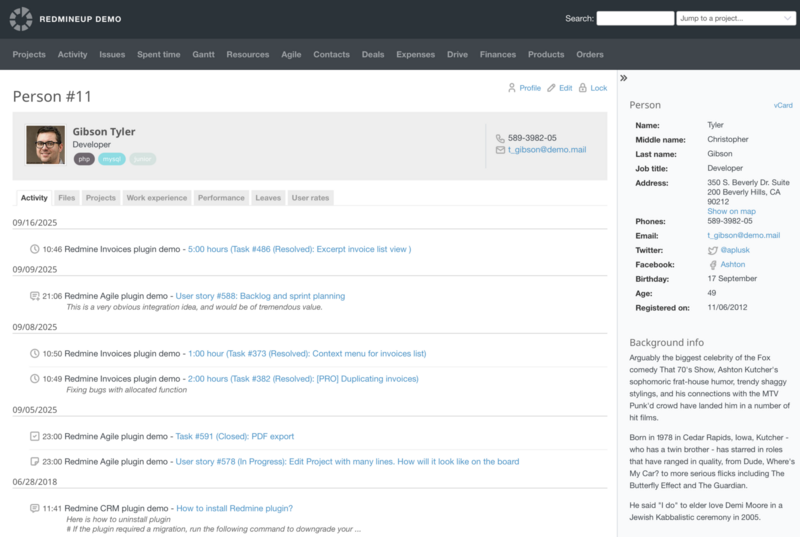
Redmine tracks work. It doesn't track the people doing it, at least not in any structured way. The People plugin adds:
- User cards with roles, rates, and contact info
- Team groupings for permissions and reporting
- Performance charts showing output over time per person
- Reminders for check-ins or reviews
The rate tracking is where it earns its place in a PM stack. When a developer logs three hours on a task, the People plugin already knows their billing rate. The Budgets plugin (below) picks that up automatically. No reconciliation, no exporting to accounting software to figure out where the money went.
Note: If you have contractors on different rates working alongside employees, the People plugin is the piece that makes cost tracking accurate without manual input.
That matters even more once you're managing a distributed team — you can't just glance over and see who's doing what.
5. Budgets Plugin
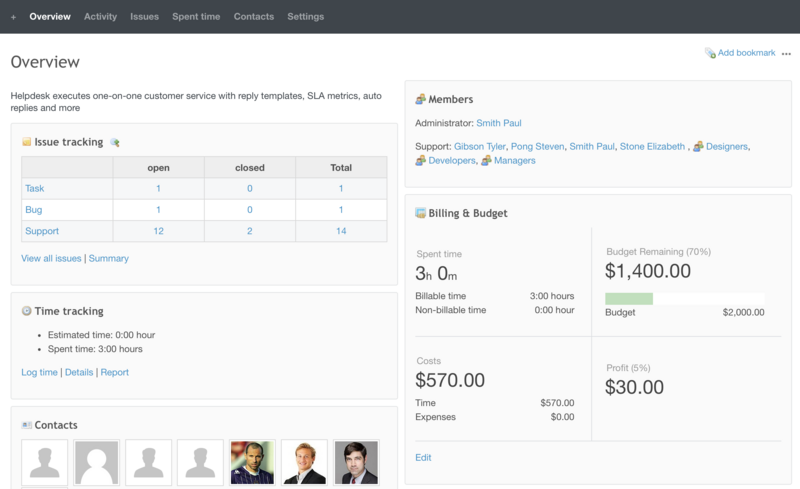
Most PM tools treat budget as someone else's problem. The Budgets plugin brings it into Redmine at both the project and issue level.
What you get:
- Set budget estimates per project or per issue
- Track actual spend in real time as time entries are logged
- Compare estimated vs actual cost with rate data from the People plugin
- Flag projects that are trending over budget before they arrive there
For agencies and consulting firms, this is the difference between knowing a project was profitable and assuming it probably was. For internal teams, it gives you the cost data that makes prioritisation decisions defensible. We've got a full guide on managing project budgets in Redmine if this is new territory for you.
Note: The Budgets plugin works best when paired with People (for rates) and Redmine time tracking (for actuals). All three together give you real project economics without a separate accounting tool.
6. Redmine Checklists Plugin
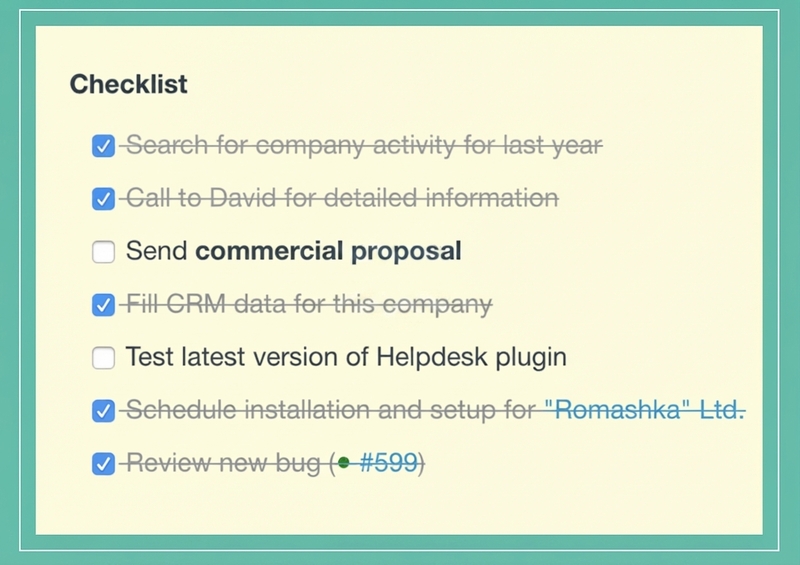
The simplest Redmine checklist plugin on the list. It adds a checklist field to any Redmine issue. That's it.
The reason it matters: when someone closes a ticket, there's now a record of which specific steps were completed, not just a status change. For recurring processes with defined steps, this removes the single most common source of follow-up tickets: "wait, did you actually do X or just close it?"
Common use cases teams actually run on this:
- QA sign-off checklists before release
- Deployment runbooks attached to deploy tickets
- Code review checklists per PR
- Onboarding task sequences for new team members
It's rarely the plugin that sells a team on the full stack. It's always the one they'd miss most if it disappeared.
Top 6 Redmine Plugins
| Plugin | Solves | Best for | Pairs with | PRO Price |
|---|---|---|---|---|
| Agile | Boards, sprints, Agile charts | Software dev teams | Checklists, Resources | $499 |
| Resources | Capacity planning, workload visibility | Multi-project PMs | Agile, time tracking | $399 |
| Reporter | PDF reports from live project data | Client-facing teams | All plugins | $199 |
| People | Team structure, roles, billing rates | Agencies, distributed teams | Budgets, time tracking | $199 |
| Budgets | Estimated vs actual project cost | Consulting, agencies | People, time tracking | $199 |
| Checklists | Step-level task completion | QA, ops, any team | Agile, Helpdesk | $99 |
How to stack them
Start with Agile plus Resources — together they cover planning and capacity, the two things stock Redmine can't do (see our roadmap guide for how to lay that out). Add Checklists right away; it's lightweight and removes friction from day one.
From there:
- Pair People with Budgets if you track project economics — they only work well together.
- Add Reporter once the Friday export ritual gets old.
Stack all six together and you've got a complete Redmine project management plugin stack — nothing missing.
Buying separately adds up. The RedmineUP All Plugins Pack bundles all six plus CRM, Helpdesk, Invoices, and Finance — usually the cheaper route if you're running both PM and client work through the same Redmine. Not sure you even need a dedicated PM layer? Our work management vs. project management guide walks through the difference.
Don't want to deal with installation yourself? RedmineUP's services team handles setup and upgrades within a business day.