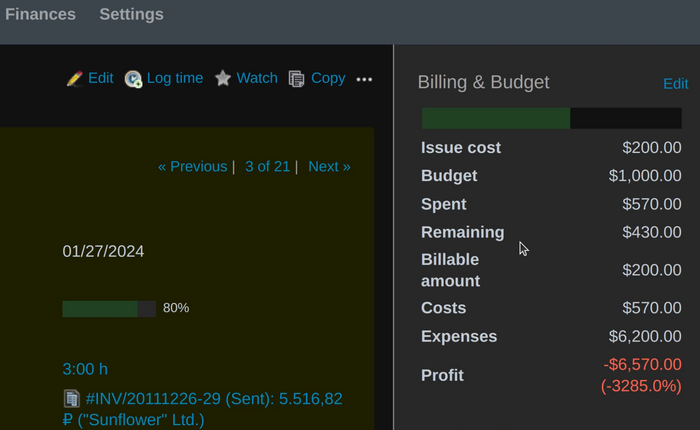
This article will teach you how to set a fixed fee for a Redmine issue via the Budgets plugin.
Enable module
Firstly, please make sure to enable the Budgets plugin itself in the project settings (Modules section).
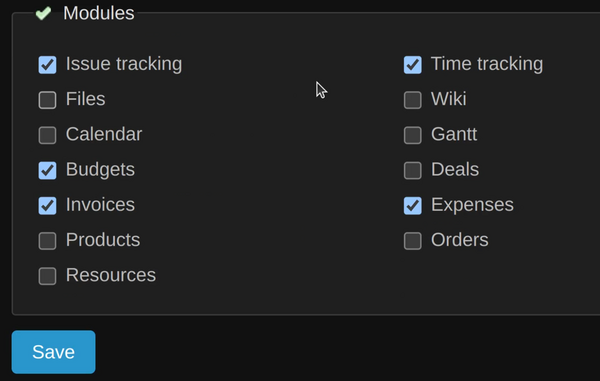
Project settings
Then go to the project settings - Billing & Budgets tab. Here, make sure to make the following configurations:
- Billing type ---> Issue flat rate
- Budgets ---> Issues fee
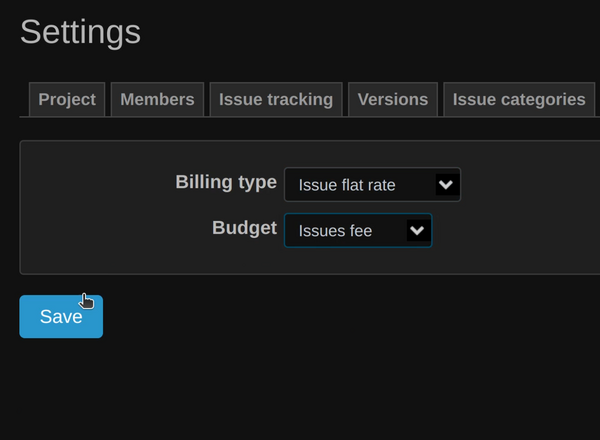
Don't forget to save the changes.
Issue Billing & Budget setting
Now, create a new issue or edit an existing one. In the right side panel, you will find Billing & Budget section. Edit it.
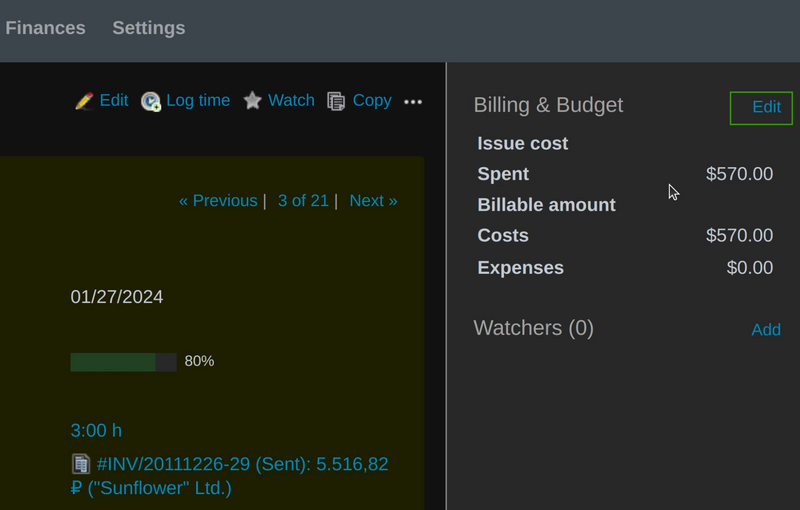
Fill the Issue cost and Budget with the appropriate values.
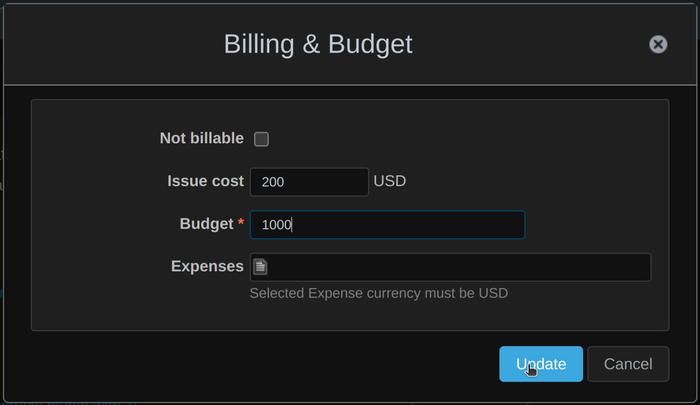
Okay, now you have the fixed fee for a Redmine issue successfully set.