Let's take a look at the following example of printing Checklist items via the Reporter plugin.
Note: Please note that for this feature, you have to install the Reporter plugin first.
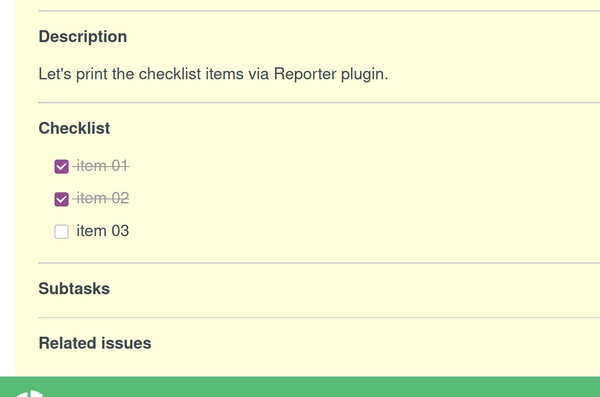
Firstly, the following Checklist items could be seen in a ticket:
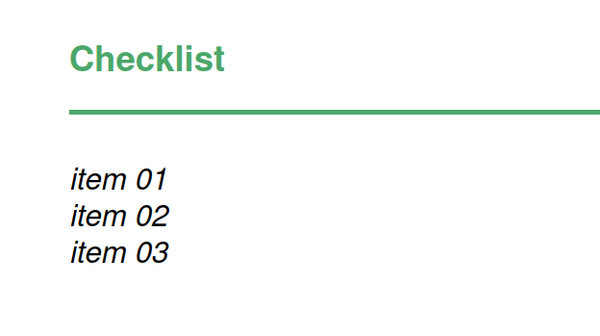
The printed Checklist items would look like this:
The used code for the above report is:
<h3 style="color: #4ca76a; padding-bottom: 10px; border-bottom: 2px
solid; margin: 40px 0px 20px;">Checklist</h3> {% for checklist_item in issue.checklists %}
<div class="note">
<em>{{checklist_item.subject}} </em>
</div>
{% endfor %}
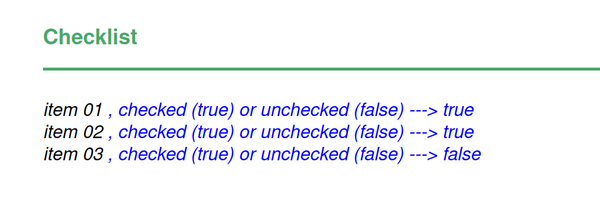
And if the task is to display either the particular Checklist item is checked or unchecked, then it becomes like this:
Code used:
<h3 style="color: #4ca76a; padding-bottom: 10px; border-bottom: 2px
solid; margin: 40px 0px 20px;">Checklist</h3> {% for checklist_item in issue.checklists %}
<div class="note">
<em>{{checklist_item.subject}} </em>
<em style="color: blue;">, checked (true) or unchecked (false) ---> {{checklist_item.id_done}} </em>
</div>
{% endfor %}