Editors see a small pencil at the bottom left of every public HTML Page. It opens the edit screen in one click, without a hand-made "edit" link in the Layout.
What it shows
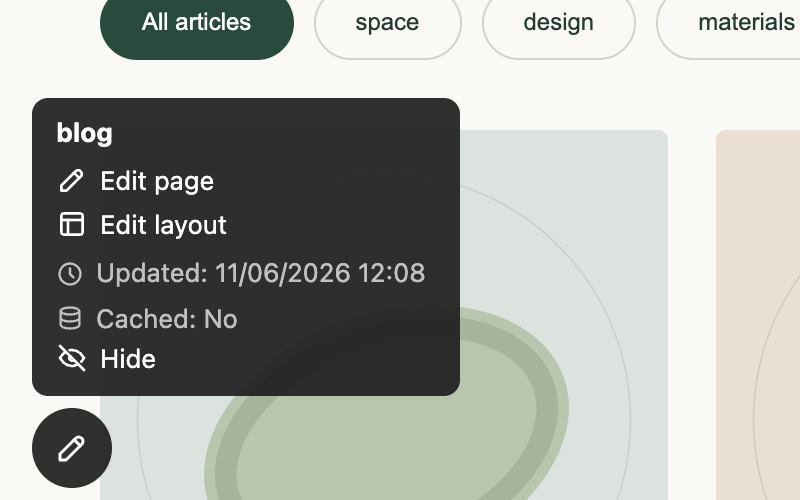
Hover over the pencil (or tap it on a touch screen) to expand it:
- the Page name, with a button to copy it (useful for links to the Page);
- Edit page and, when the Page has a Layout, Edit layout;
- a status badge when the Page is draft or not visible to everyone;
- Clear cache when the Page is cached;
- the update time and whether the Page is cached.
The toolbar is added after the Page is rendered, so it never gets into the cached text and visitors never see it. It appears only for users who may edit CMS content, only on Pages that have a Layout with the content type text/html. Style, script, text, XML and JSON Pages are left alone.
Turn it off
An administrator can switch it off with the Admin toolbar option in the CMS plugin settings.