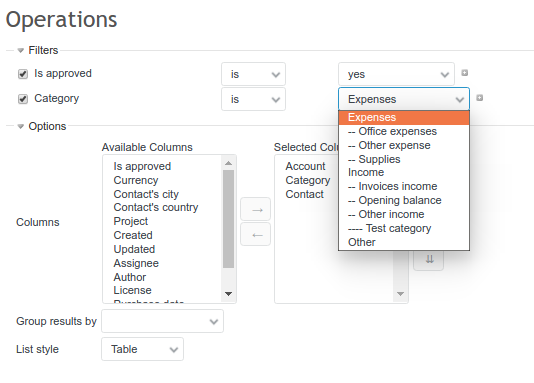
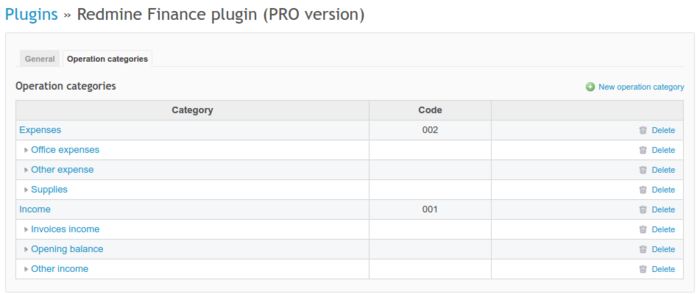
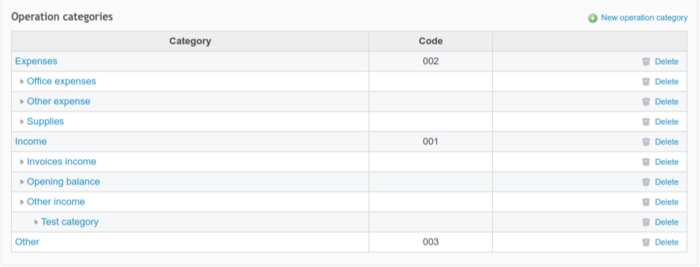
In Administration -> Finance, Operations categories tab, you can add new categories and modify the existing ones. Each category can also have a subcategory. By default, you will have two main categories - expenses and incomes, and three subcategories per each of them.
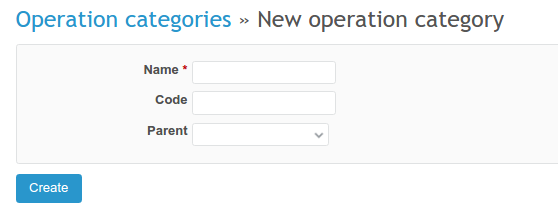
In order to create a new category, click on New operation category and provide a name. If it's a subcategory, please also choose a parent.
To edit any of the existing categories, please click on its name. To delete a category, click on a bin icon on the right.
Subcategories and hierarchy
You can decide whether the new category will be another main one, or will belong to a parent category. It can be nested even two or three levels deep.
When creating the main category, please provide a code for it. When creating a subcategory, please choose a parent category. You can nest categories according to their importance.
How to use categories
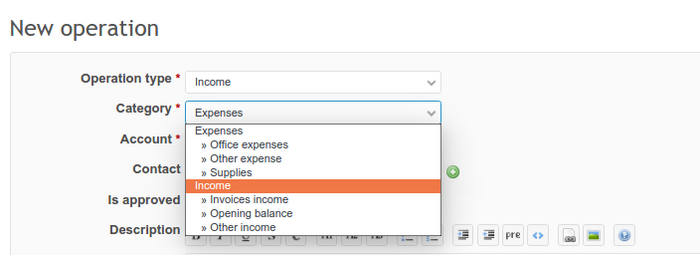
When adding a new operation, you have to choose its category from the categories dropdown.
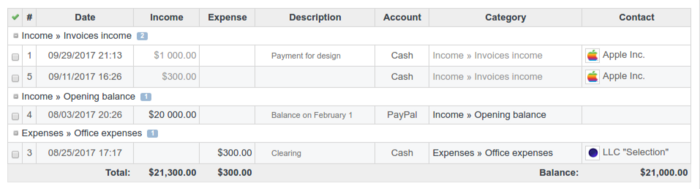
After saving operation, the category will look similar to the below example.

Filters and grouping
Go to your project and choose the Finances tab. Here you can filter and group all operations also by category.