What's new in Redmine CMS plugin
Preview unsaved changes, Liquid autocomplete, pages in the Helpdesk widget and an admin toolbar
New features
Preview before saving
Check a page, part, snippet or layout before you save it. The Preview tab next to Content shows your unsaved text, and nothing on the site changes until you save. For a snippet or part, pick a layout to see it with the site styles, and page through earlier versions with Previous and Next.
Learn more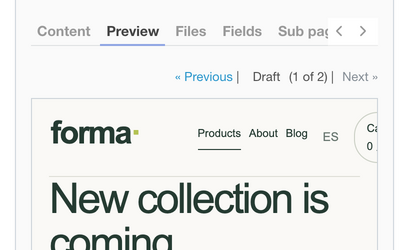
Liquid autocomplete
The editor suggests Liquid as you type: tags, filters after the pipe sign with the names of their arguments, fields such as page.title and site.name, and the names of snippets, parts, pages and files. Pick a suggestion with Enter or Tab.
Learn more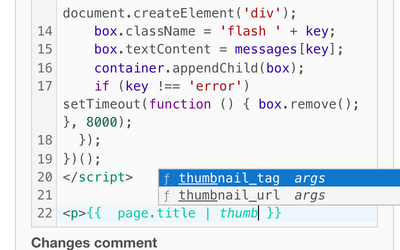
Helpdesk widget articles
Show pages of your site as articles in the Helpdesk widget. Customers search and read the same text inside the widget as on the site, so there is no second copy to maintain. Only active public pages are offered, and links between them open inside the widget.
Learn more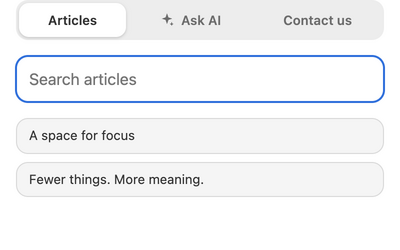
Admin toolbar
Editors see a pencil at the bottom left of every public page. Hover it to see the page name with a copy button, the Edit page and Edit layout links, the update time and whether the page is cached. Visitors never see it.
Learn more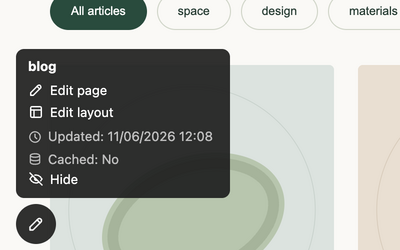
Used in tab
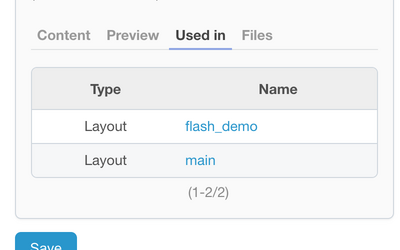
The Used in tab of a snippet lists the layouts, pages, parts and other snippets that render it, with a link to each. Check where a snippet is used before you change or delete it.
Learn more