
If your non-admin users don't see Agile boards you need to grant them the correct permissions.
To do this, please follow the steps below.
Administration
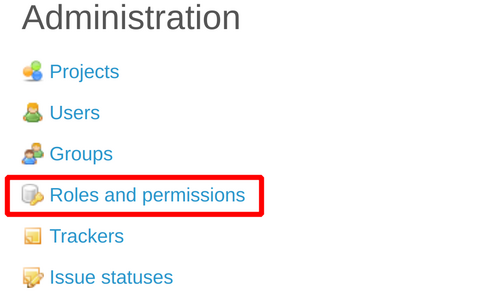
Go to the Administration section (in the top menu).

Roles and Permissions
Click on the link Roles and Permissions.
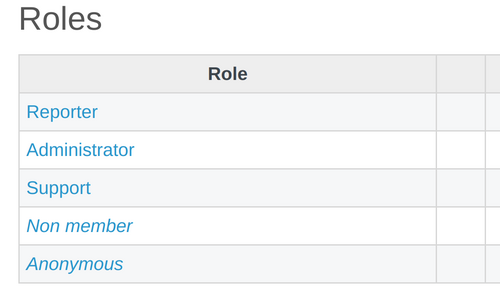
Specific Role
Choose the role of users you want to change.
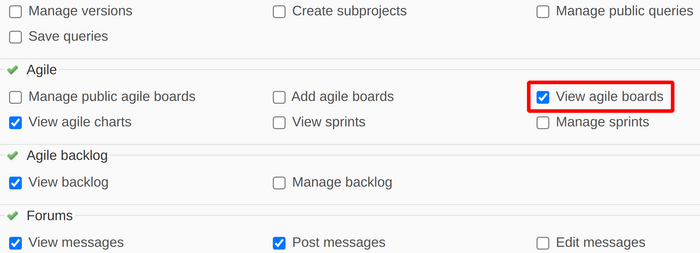
Enable the Permission
Find Agile section and enable the checkbox View agile boards.
Save
Apply the changes.