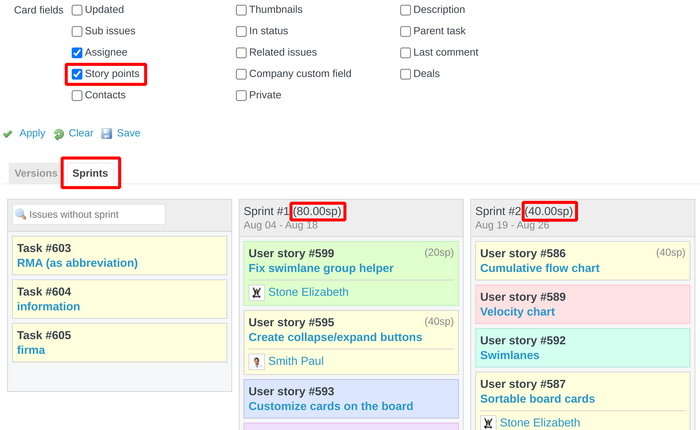
This guide will teach you how to solve the problem that Story Points are not appearing on the Sprints Backlog board.
Description of the problem
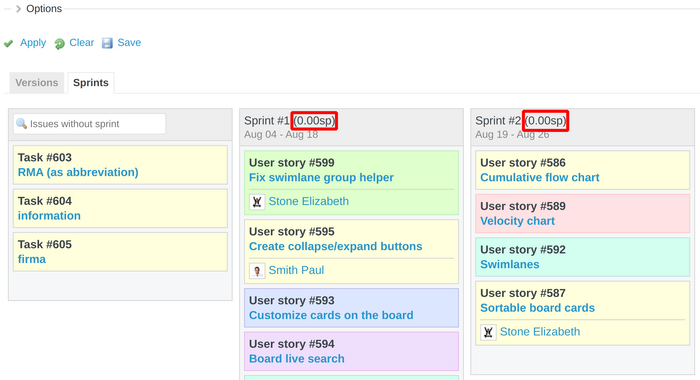
Firstly, you have to be sure that some issues have story points values set. And then, please go to the Backlog tab and Sprints board.
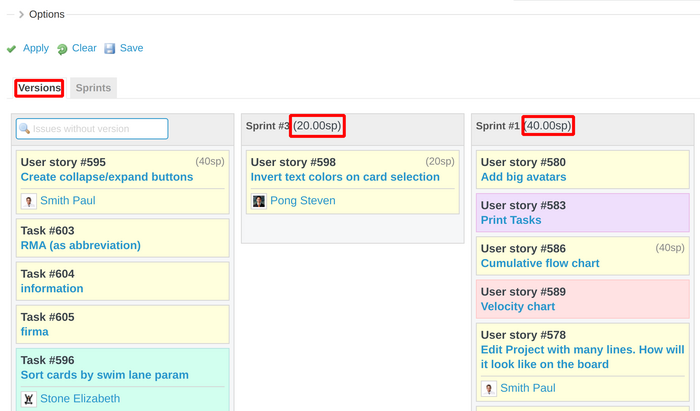
Note: Please note that the Versions board on the Backlog is working correctly. Story points are appearing.
Solution of the problem
To fix the problem, as being on the Sprints Backlog board, you have to just expand the options and then enable the Story points card field. And then everything will work fine.