The plugin can generate a complete small Site, so that you can open a working example and take it apart. It is forma, a fictional shop of home goods, with an English and a Spanish version. It uses everything this documentation describes: Layouts, Snippets, Page fields, Tags, a Landing page, an Error page, Routes and Localization.
Before you start
- Redmine's default language must be English: Administration, Settings, Display. The task stops and says so otherwise.
- The CMS must be empty: no Pages, Layouts or Snippets. Run it on a test Redmine or before you build your own Site. If the CMS is not empty, the task stops with the message
CMS is not empty, use OVERWRITE=1 to replace it with the sample site.
Generate the sample site
Run the task in the Redmine folder:
bundle exec rake redmine:cms:sample_site RAILS_ENV=production
It prints Sample site was generated and the number of Pages. Open the Site to see the result. This is the Products page:
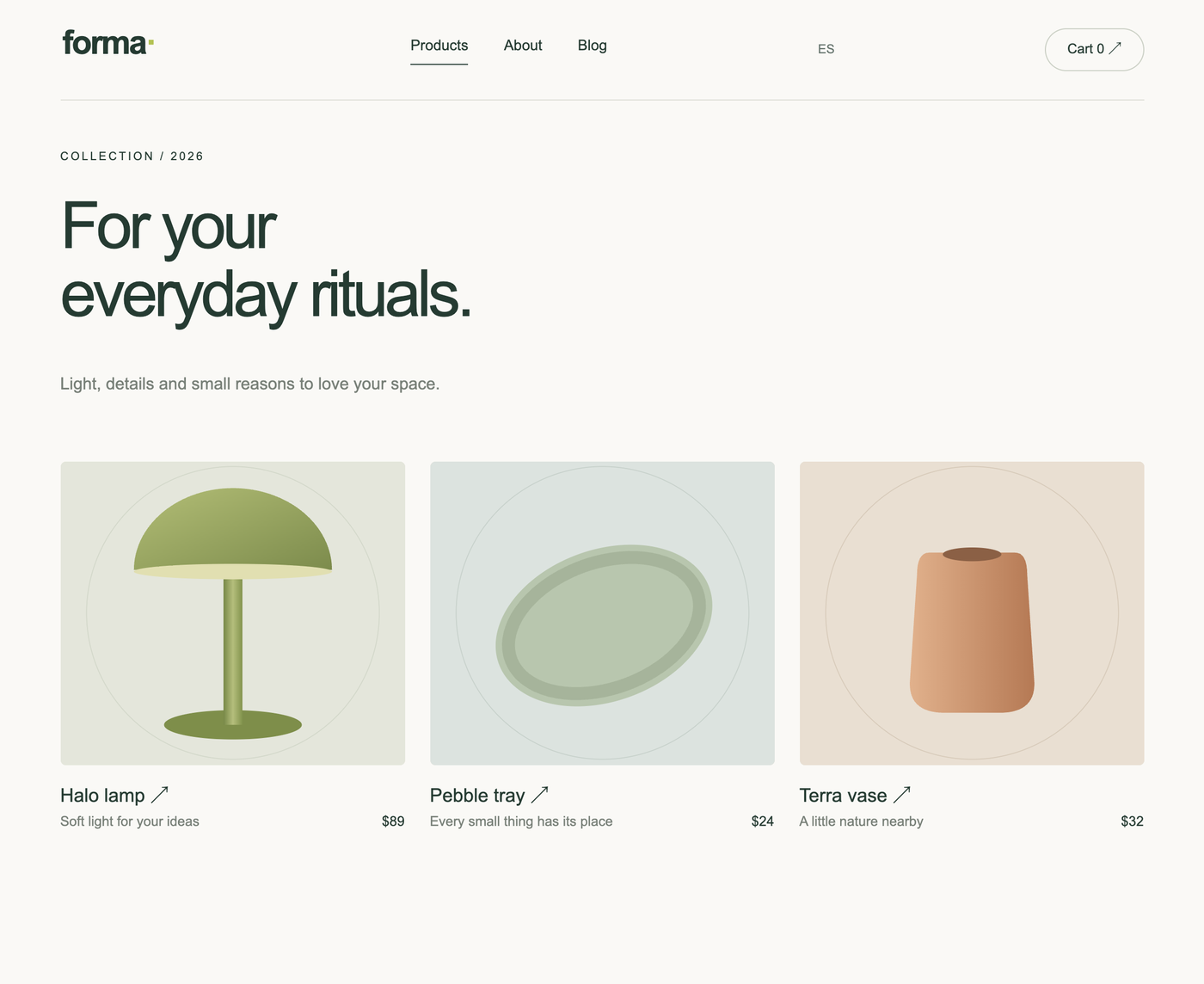
Replace an existing Site. Add OVERWRITE=1 to the command. This deletes all Pages, Layouts, Snippets, Menus, Global variables, Routes and files of the CMS and cannot be undone. The task shows how many objects will be deleted, asks for the login and the password of a Redmine administrator, and asks you to type yes. It needs an interactive terminal. Export your Site first (Export website in the CMS settings; it does not contain Menus and Routes, so note them separately).
What it creates
| Objects | What they are |
|---|---|
| Layouts | main (the frame of ordinary Pages), blog_article, and one for each file type: css, js, txt, xml. |
| Snippets | menu with the language switcher, footer, flash_message, pricing_table, product_cards, post_cards. |
| Pages | English Pages at the root: home, about, products with three product Pages, blog with three articles, checkout, success and the Error page. The same set in Spanish lives under a root Page with the slug es. |
| Files and styles | The logo and three product pictures are Site assets. The stylesheet and the script are Pages (forma_css, forma_js) shown through the css and js Layouts. |
| Routes | /robots.txt, /sitemap.xml, /llms.txt and /llms-full.txt are Pages served at these paths. |
| Settings | The Landing page is home, the default Layout is main, the Error page is set, and Localization is on. |
Explore it
- Open the Site home and click through the shop. Switch the language with the link in the menu; Build a multilingual site explains how it is built.
- In Layouts open
main. It has a menu Snippet, the tagcontentand a footer Snippet, exactly the structure from How a page is built. - Open the Page
product_haloin Pages. The price, the picture and the material are Page fields, and the Page uses the same Layout as the others. The product cards on theproductsPage read these fields. - Open the Snippet
pricing_tableand its Used in tab to see where it is shown. - Open the Page
blog: the filter by tag is a link with?tag=that the Page reads withparams.tag, no JavaScript needed. - Open Routes and open
/sitemap.xmlin a new tab.
When you build your own Site, copy a Layout or a Page of the sample site instead of starting from an empty form, and keep the same structure. See Recommendations for a site structure.