
This guide will teach you how to export the invoices as a CSV file.
Firstly, please go to the Invoices tab. All the invoices will be listed. At the very bottom, you will find a CSV button.
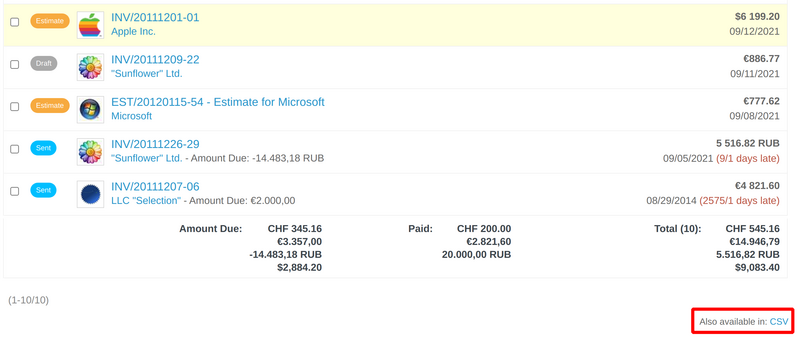
As soon as you click on the CSV button, the file will be downloaded automatically. Then when you open it, it would look like this.
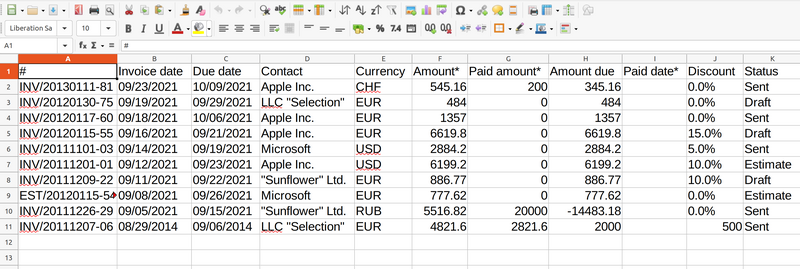
Note: Please keep in mind that the above screenshot shows only part of the available columns. To check all of them, you have to scroll to the right in the CSV file as there are a lot of columns.