
banner_top.png
For one week only get 30% off all RedmineUP plugins
Offer ends on Sep 14th

For one week only get 30% off all RedmineUP plugins

Activating CRM module

In order to activate the CRM plugin - assuming you have already installed it, go to your project Settings, and find the modules tab. Check Contacts and Deals. Don't forget to click on Save.
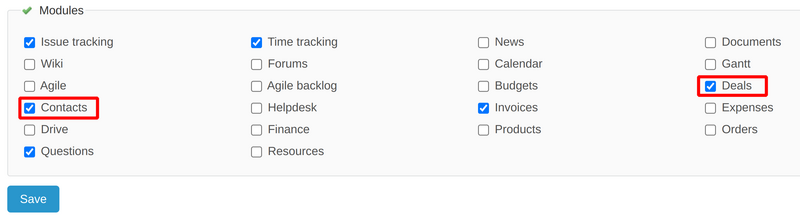
contacts_deals_enabled_modules.png

After this has been done, you should see additional tabs within Settings, as well as within the project menu.

enabled crm.png

Video demonstration

Was this article helpful? Yes  No
1755 from 1820 found this helpful