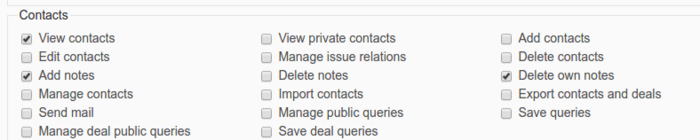
If your non-admin users don't see Contacts and Deals you need to grant the correct permissions for them.
To do this
- Go to Administration section.
- Click on link Roles and Permissions.
- Choose the role you want to change.
- Find Contacts section.
- Check the checkbox View contacts.
- Find Deals section.
- Check the checkbox View deals.
- Apply the changes.