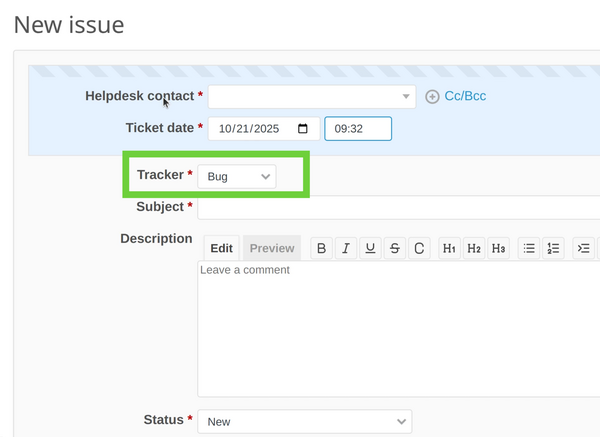
Description of the problem
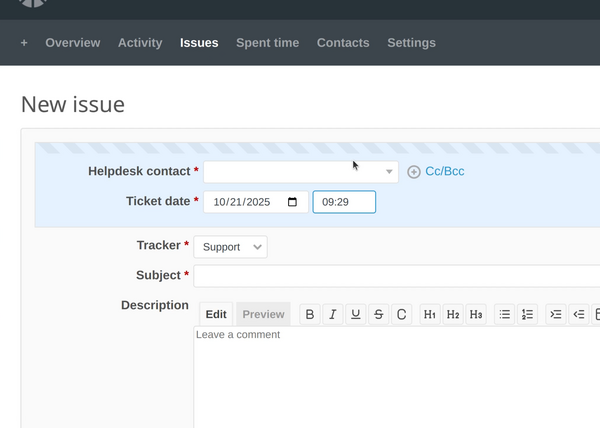
The problem in our case is if you wish to create a new Helpdesk ticket:
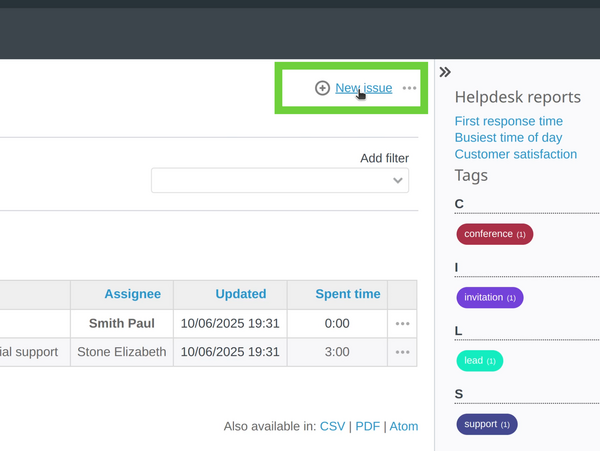
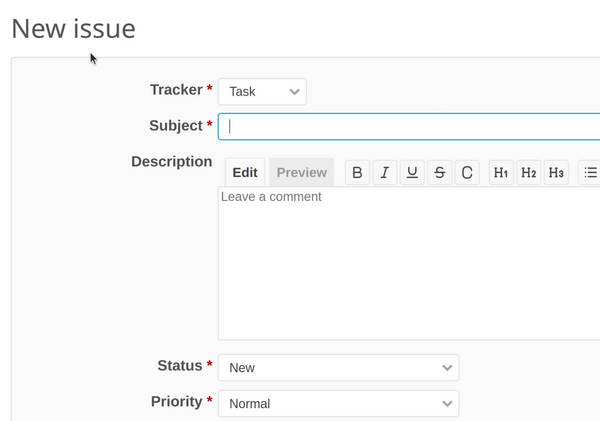
But instead this is just a normal Redmine issue:
Solutions
There are three solutions of this problem.
The first solution is to manually change the tracker of the issue:
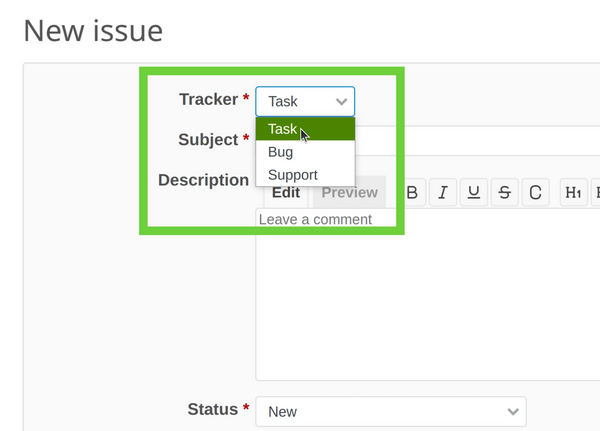
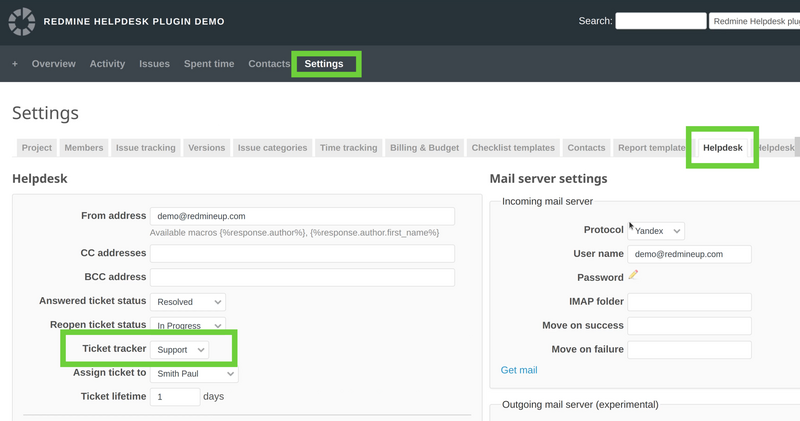
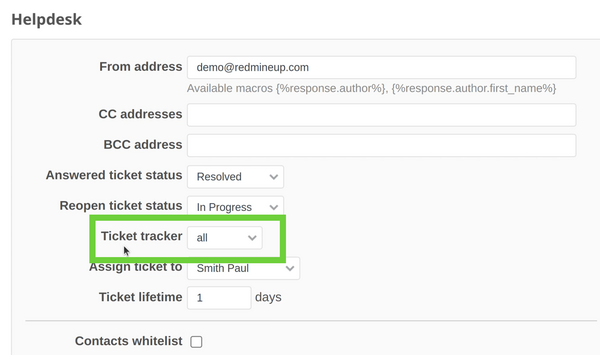
This is because the Helpdesk tracker is defined to another. It could be checked in the project - settings - helpdesk tab - ticket tracker:
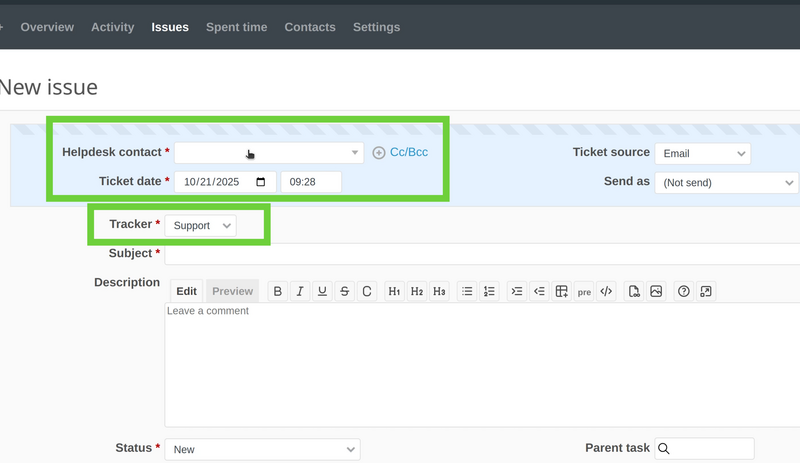
In our example, we have to change the issue tracker to be from task to support and then the normal Redmine issue will be transformed automatically to a Helpdesk ticket:
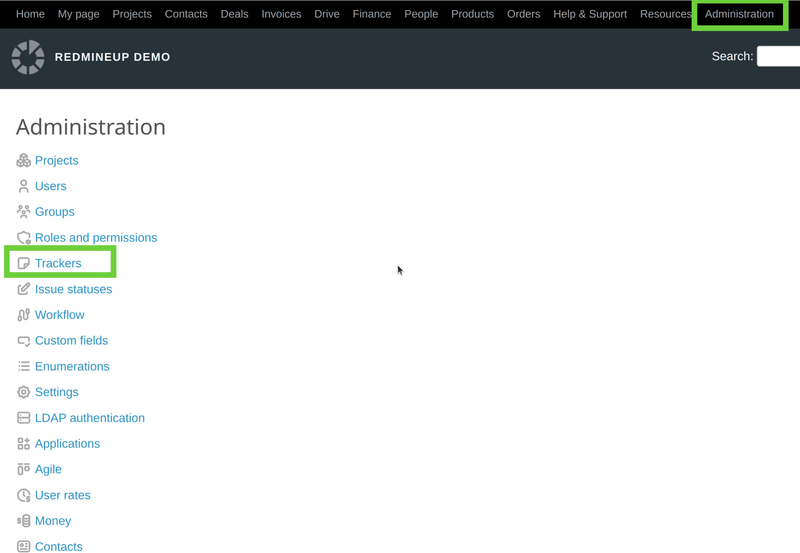
The second solution is to make the Helpdesk tracker ("support" in our case) to be selected automatically when a you create a new issue/ticket. To make it, please go to Administration on top, then select Trackers:
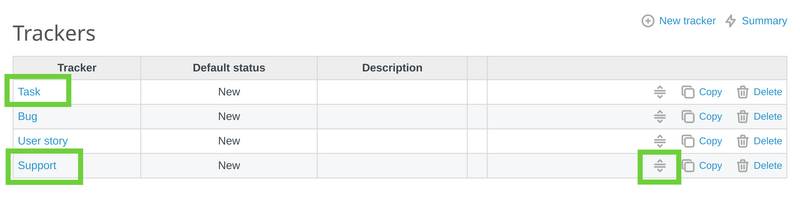
Then you will see the trackers' list. The one that is on the top ("task" in this picture) is the one that is default. You have to move the "support" tracker to be on the top via the drag-and-drop button on the right.
So it should look like this afterward:
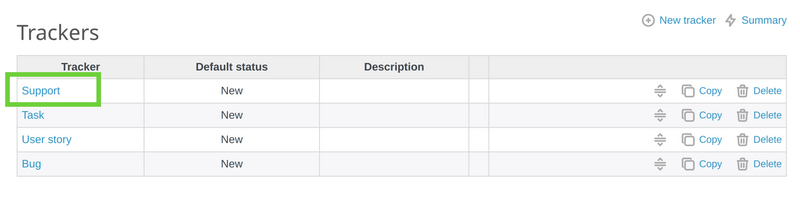
And then the Helpdesk block of options will automatically be available when you create a new issue/ticket:
The third solution is to make all trackers to be Helpdesk ticket trackers. To do it, please go to project - settings - helpdesk tab - ticket tracker again. And then make sure to select all as an option:
Afterward, no matter which tracker is selected, the new issue will always be a Helpdesk ticket.
- Task tracker
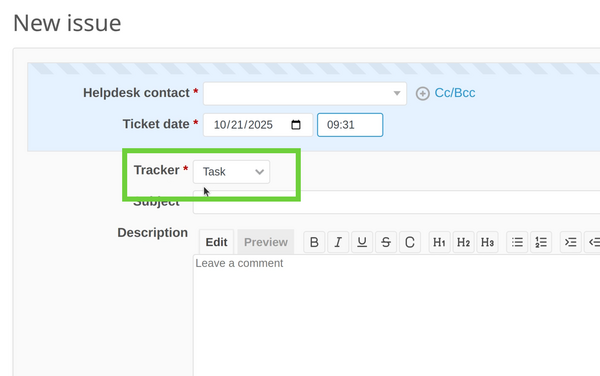
- Bug tracker