The AI answer outcomes report shows how well Ask AI works: how many questions visitors asked, how many were answered, how many solved the problem, and which questions your documentation does not cover yet.
You need to be an administrator. The report needs the Ask AI feature (and so the Agent plugin), because a question belongs to no project and the list shows what visitors typed.
Open the report
- Open Helpdesk, then Reports.
- Select AI answer outcomes.
- Choose the period.
What the report shows
- Questions, Answered and No answer: the volume and how many questions got an answer.
- The outcome of each answer, as a doughnut chart and as a trend over time.
- Questions that may need an article: the latest 50 questions that were not resolved or got no answer, with date, name, email and the ticket created after the question.
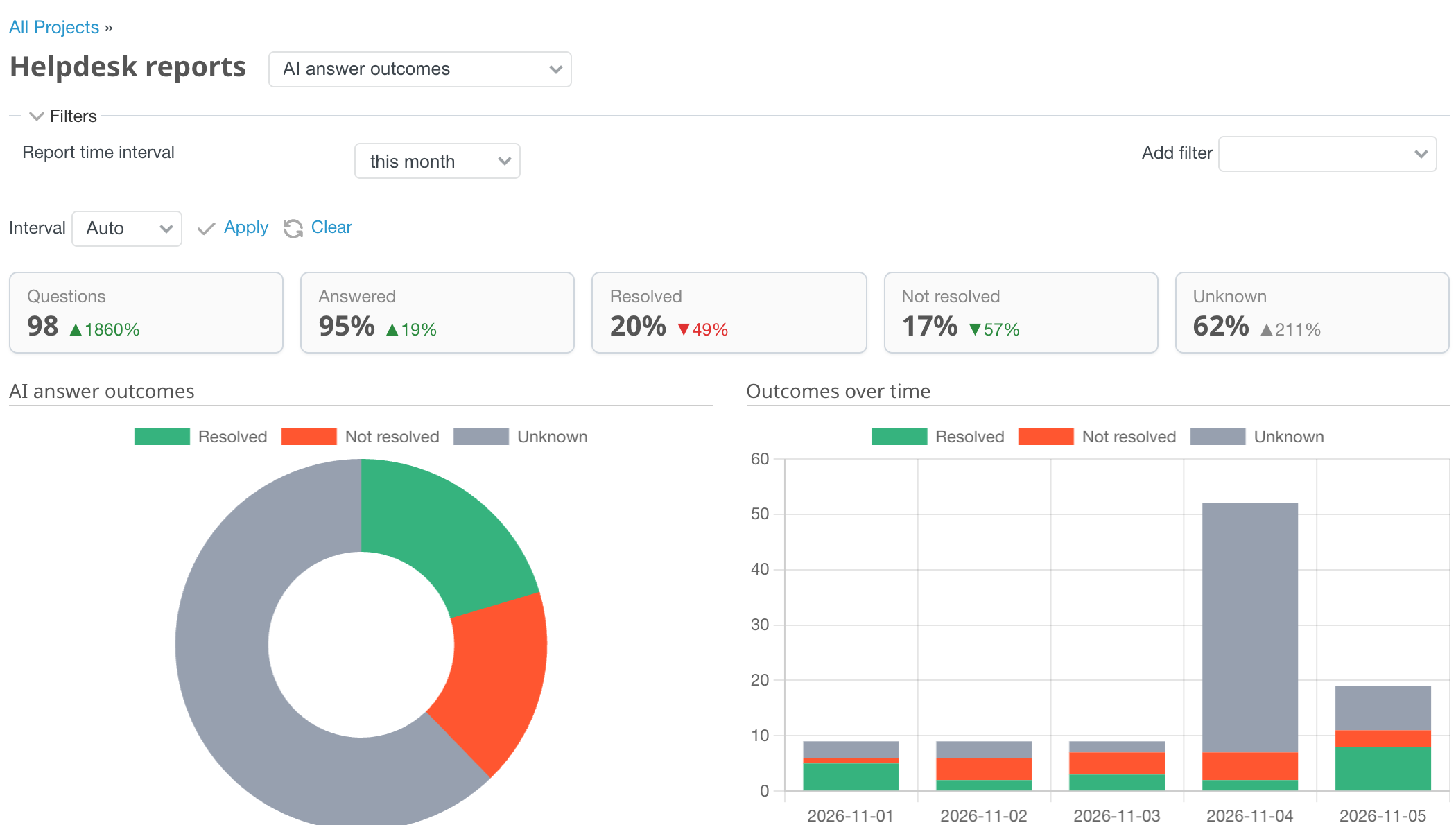
How an outcome is decided
| Outcome | When |
|---|---|
| Resolved | the visitor voted Yes (even if a ticket followed) |
| Not resolved | the visitor voted No, or a ticket was created after the question |
| Unknown | none of the above. Unknown is never counted as resolved |
A ticket is linked to the latest question of the visitor when the form is submitted, whether the visitor used the Create a ticket button or not. The first ticket stays linked.
Use it
- Write an article for every repeated question in the list, add it to the Articles list and to a knowledge source. The same question should then be answered next week.
- Tune Instructions when answers are right but sound wrong.
- Watch the share of Resolved after each change.
- Compare with the browser-side events: votes in analytics show visitors, the report adds tickets.