- Teaser
- Buttons and links on your page
- Show a Teaser by behaviour
- Show a Teaser by segment
- Different help on different pages
- From Google Tag Manager
- Related articles
Help works best at the right moment. The Widget can show a small card beside the closed button (a Teaser), and your page can open an article or the Ask AI tab from any link or button. The Widget does not decide when: your page, or your tag manager, pushes the command at the moment you choose.
Teaser
A Teaser is a small card with a title and a text. It takes no focus, does not open the panel by itself, has a close button reachable by keyboard and fits a narrow screen. A click opens the article, a list of articles or a link.
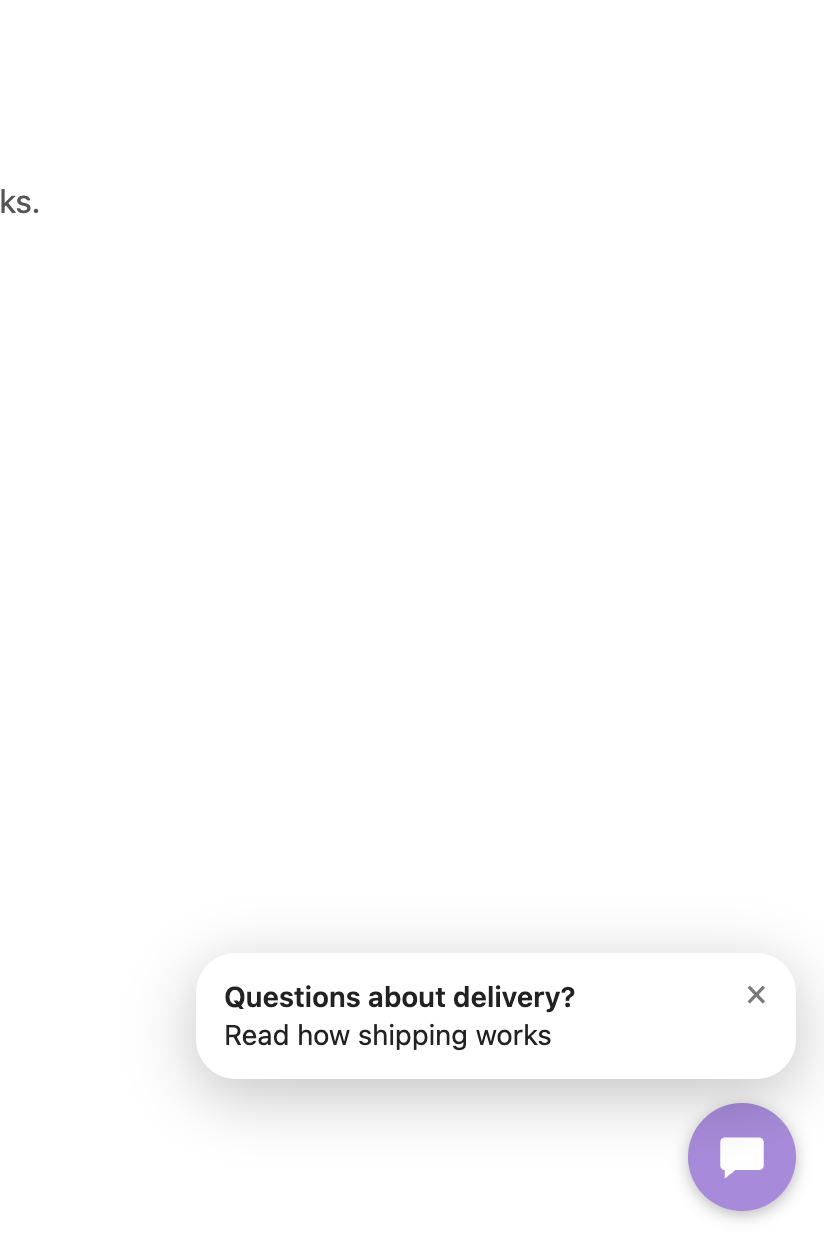
hdwDataLayer.push({ teaser: {
  id: 'pricing-help',
  title: 'Questions about pricing?',
  text: 'Read how licenses work',
  article: 'wiki:docs:Pricing',
  delay: 30,
  frequency: 'once'
} });
| Key | Meaning |
|---|---|
id |
Name used to remember what was shown. Required unless frequency is always |
title, text |
Shown as plain text; at least one is required |
article |
A click opens this article |
articles |
A click opens a list of these articles |
url |
A click follows this http or https link |
delay |
Seconds to wait before showing; none by default |
frequency |
once (default, once per browser), visit (once per browser tab until it is closed), always |
Rules:
- An article must be in the Articles list of the Widget settings; otherwise the normal Articles tab opens.
- A new Teaser replaces the visible one and cancels a pending one. A push with the
idof the visible or pending Teaser is ignored, and so is one thatfrequencyforbids. - A Teaser that comes due while the panel is open is skipped and not counted as shown.
- Remove a Teaser and cancel its delay with
hdwDataLayer.push({ teaser: null }), for example when the visitor has already done what it suggested.
Pushing the same id on every scroll event is safe: the visible Teaser stays and its delay does not restart.
Buttons and links on your page
No script is needed. Add a data attribute to any element:
<a href="/docs/delivery" data-hdw-article="wiki:docs:Delivery">Delivery times</a>
<button data-hdw-ask="How long does delivery take?">Ask AI about delivery</button>
The question is only filled in: the visitor presses send, so a page cannot spend your AI budget on its own. While the Widget is hidden or unavailable a link keeps working as a normal link. A click with Ctrl, Cmd or Shift stays with the browser.
The same from a script:
hdwDataLayer.push({ open: { article: 'wiki:docs:Delivery' } });
hdwDataLayer.push({ open: { tab: 'ask', question: 'How long does delivery take?' } });
Show a Teaser by behaviour
After a scroll depth:
window.addEventListener('scroll', function () {
  var depth = (scrollY + innerHeight) / document.documentElement.scrollHeight;
  if (depth > 0.6) hdwDataLayer.push({ teaser: {
    id: 'halfway', title: 'Any questions so far?',
    articles: ['wiki:docs:Delivery', 'wiki:docs:Payment'] } });
}, { passive: true });
The visitor saw the prices, did not click and went back up:
var pricing = document.querySelector('#pricing');
var seen = false, clicked = false;

pricing.addEventListener('click', function () {
  clicked = true;
  hdwDataLayer.push({ teaser: null });
});
new IntersectionObserver(function (entries) {
  if (entries[0].isIntersecting) seen = true;
}).observe(pricing);

window.addEventListener('scroll', function () {
  if (seen && !clicked && pricing.getBoundingClientRect().top > innerHeight) {
    hdwDataLayer.push({ teaser: { id: 'pricing-help', title: 'Questions about pricing?',
      article: 'wiki:docs:Pricing' } });
  }
}, { passive: true });
Show a Teaser by segment
Campaign parameters exist only on the landing page, so keep them for the visit:
var params = new URLSearchParams(location.search);
if (params.get('utm_medium')) sessionStorage.setItem('utm_medium', params.get('utm_medium'));
var medium = sessionStorage.getItem('utm_medium');

hdwDataLayer.push({ teaser: medium === 'retargeting'
  ? { id: 'rt-offer', title: 'Welcome back', text: '10% off this week', url: '/pricing', frequency: 'visit' }
  : { id: 'first-visit', title: 'Before you buy', articles: ['wiki:docs:Delivery', 'wiki:docs:Payment'], delay: 30 } });
Any segment your site knows works the same way: a logged-in customer, a plan, a page group, a value from your CRM.
Different help on different pages
hdwDataLayer.push({
  teaser: { id: 'care', title: 'Caring for your lamp', article: 'wiki:docs:Care', delay: 5, frequency: 'visit' },
  suggestedQuestions: ['How do I clean it?', 'What is the warranty?'],
  articles: ['wiki:docs:Care', 'wiki:docs:Delivery']
});
From Google Tag Manager
Any GTM trigger (scroll depth, timer, element visibility, an audience variable) can fire a Custom HTML tag:
<script>
window.hdwDataLayer = window.hdwDataLayer || [];
hdwDataLayer.push({ teaser: { id: 'gtm-pricing', title: 'Questions about pricing?', article: 'wiki:docs:Pricing' } });
</script>
Pair it with the events from Events and analytics: teaser_show, teaser_click and teaser_close give you the click rate per id.